

The ArchiMate modeling language supports the description, analysis, and visualization of architecture within and across business domains.
iGrafx supports the use of Archimate diagrams with different shape libraries, the ArchiMate diagram type and an Archimate template which contains a reference guide for all the ArchiMate shapes, symbols and lines and their meanings.
Note: Your Admin may have disabled Archimate diagram templates and/or shape libraries. If they did so, then you may not be able to do the following steps.
How to create a new diagram using the ArchiMate template
-
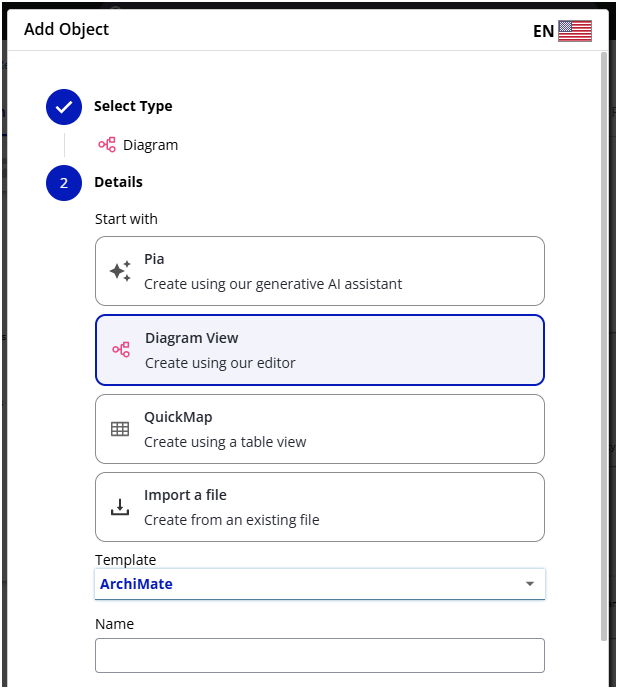
Create a new diagram using your preferred method (New Diagram button, right-click Tree folder, Add Object, etc.)
-
In the resulting dialog, make sure Diagram View is selected
-
Click the Template dropdown menu, then select ArchiMate (if ArchiMate is not an available template, your repository administrator has deactivated the template):
How to add ArchiMate shapes and symbols to your existing diagrams
-
Access a checked-out diagram
-
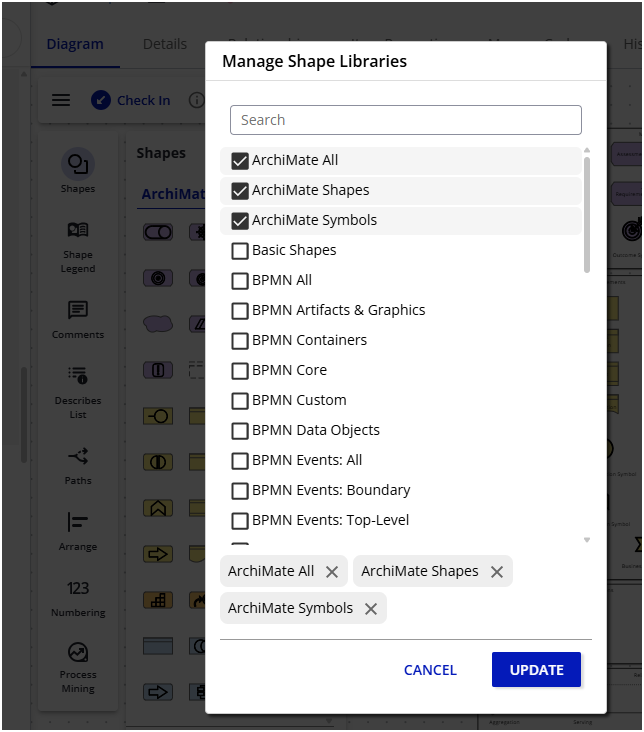
Open the Shape Libraries panel and click MANAGE at the bottom
-
Find and check the boxes for the ArchiMate libraries you would like to use. Your options are ArchiMate Shapes, ArchiMate Symbols, or ArchiMate All (containing both shapes and symbols)
-
Click UPDATE to confirm your selections
-
Access your symbols via the Shape library panel or from the quick menu
-
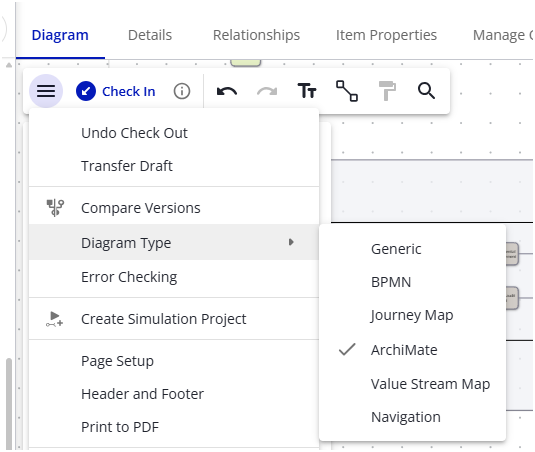
optional: Switch your diagram to diagram type ArchiMate via the main menu
Limitations
-
Does not support ArchiMate Error Checking
-
No automatic line styling and arrow heads