

19.22.0 Cloud Release Highlights
Narrative - Parent and path data elements for Shape List
We’ve enhanced the Process Narrative report to support two new data elements that show where each object resides within its Swimlane or Pool. This provides clearer context for readers, making it easier to understand ownership and placement (e.g., responsible team) directly from the export -without needing to reference the diagram separately.
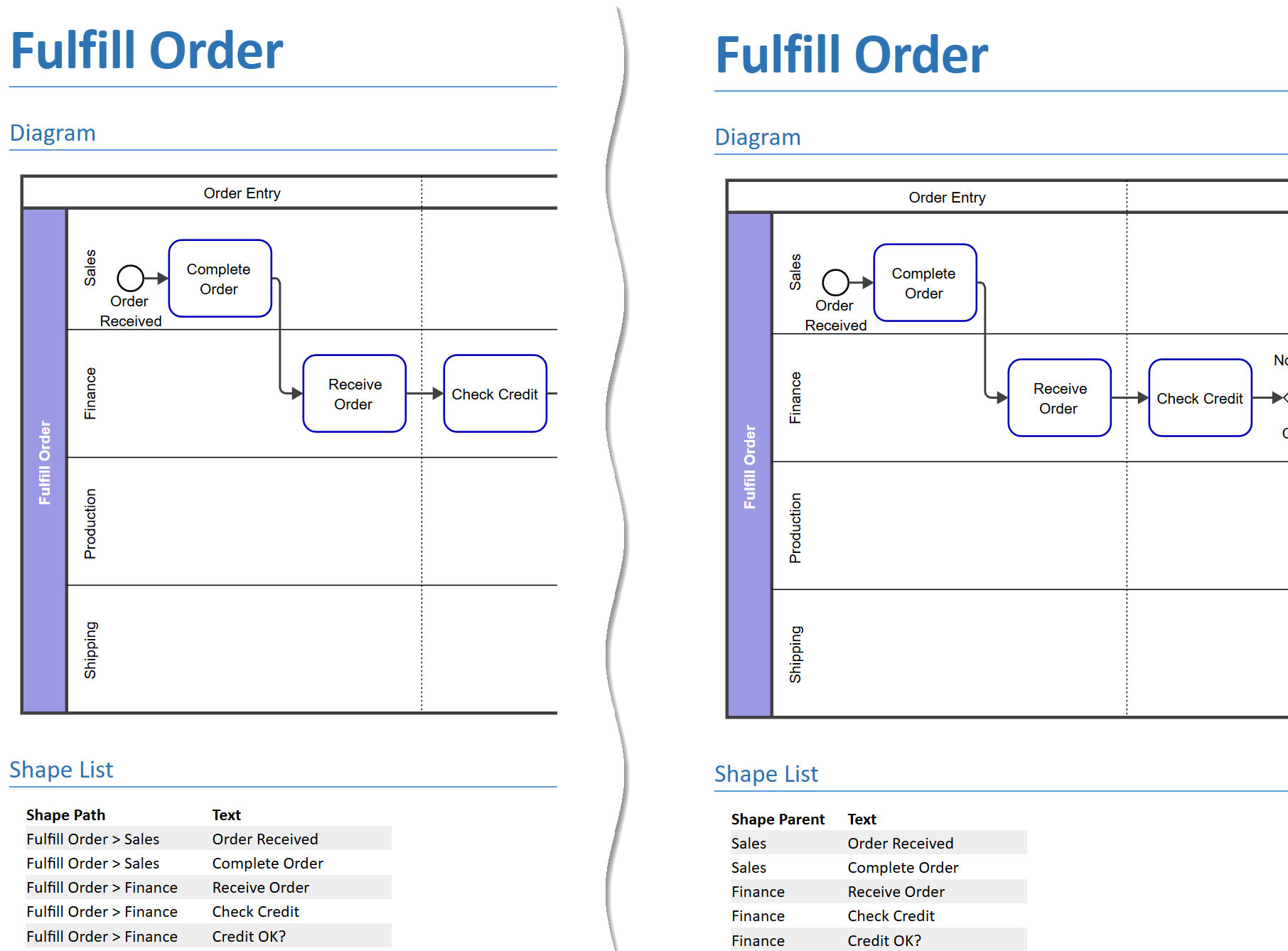
Narrative: Improved Detailed Shape List Header Styles
The Detailed Shape List now offers more control over headings—choose between Shape Number, Shape ID, or the diagram element text (first 80 characters). You can also remove the Shape Number column from the Shape List table view.
.png?cb=9636928d2ec12987776fb5d6b2a4cd30)
Read more about: Narrative Reports
True/False Custom Properties: Clear Value Support
True/False custom properties now support an explicit clear action. Users can unselect a value to return it to a null state rather than being forced to choose True or False once set. The cleared state is visually distinct from False. This applies to object, diagram-element, and diagram-defined custom properties.
.jpg?cb=5ad00438bf904cf7566d298eb256e7a5)
Read more about: Configure custom properties
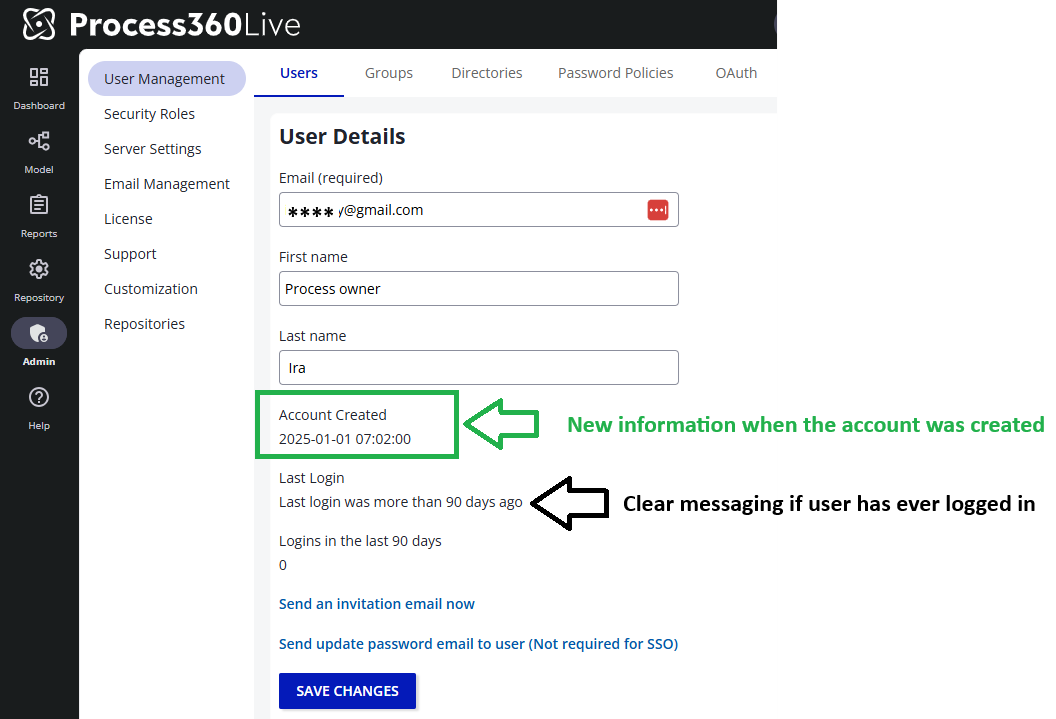
User - Create Date
On your user’s details page, you will now find a new property Account Created which shows the create date of the user if it is available. With this release, we start tracking the create date. For users created before 19.22, we display the Account Created as unknown.
Early Access
Early Access features require your system administrator to enable them for your entire organization. How to enable Early Access features
Display Fields - Work Products
Display Fields now support Work Products. Users can surface work-product data directly on diagram shapes without opening the properties panel.
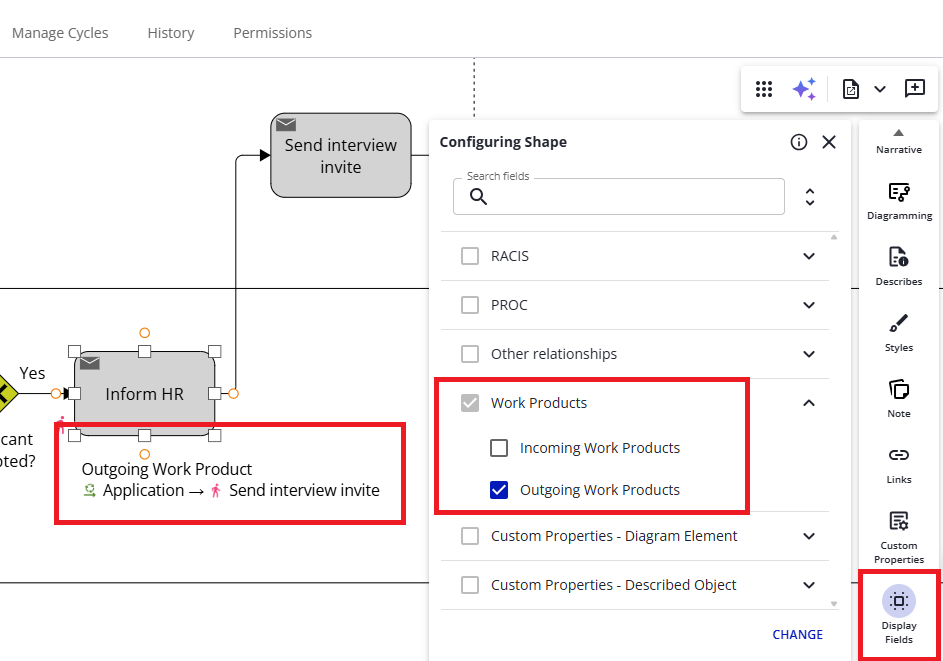
Read more about: Display Fields
New Narrative UI: Relationship Object Metadata
When generating Describes or Shape List sections in narrative reports, you can now optionally include Summary, Purpose, and Instructions content for related objects. This gives report readers immediate visibility into what each linked enterprise object is for, without having to navigate away from the report.
.png?cb=e514820959ae22a68024d019f3ce5a3f)
New Narrative UI: Improved Shape Number Control for Shape Lists
Shape list sections can now optionally hide shape numbers that are not displayed in the diagram. Previously, all shape numbers appeared regardless of diagram visibility.
.png?cb=c0cd4b4d8ac454888f05b02d6ad50bb6)
Read more about: Narrative Reports