
19.18.0 Cloud Release Highlights
Reporting - Approval Effective End Date
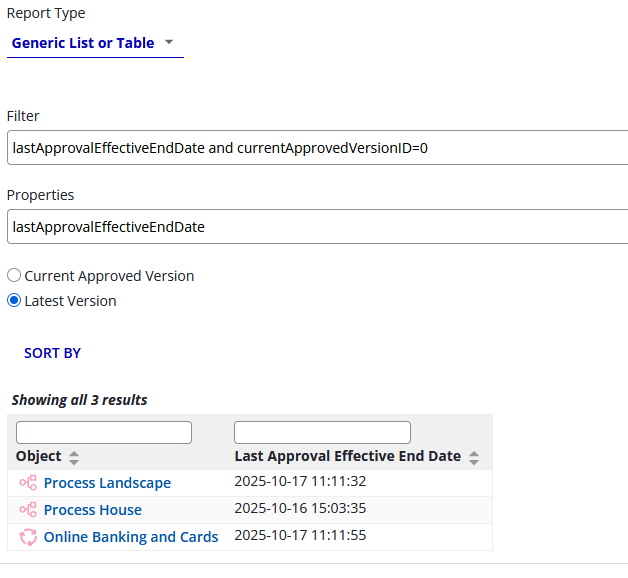
We added a new IQL property, lastApprovalEffectiveEndDate, so you can report on the last date that an approval was revoked for an object. This information can be used for your data retention wokflows.
To filter out currently-approved objects, you can combine the following filters properties:
lastApprovalEffectiveEndDate and currentApprovedVersionID=0
Modernized Manage Cycle Group UI
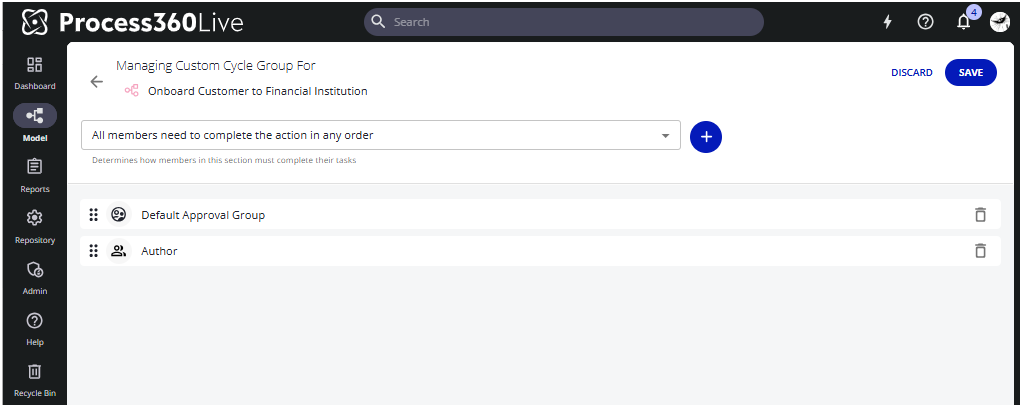
We have updated the Manage Cycle Group UI to a new modern look and feel.
New user display name option
If you are using multiple user directories, we now allow to add the directory to the username’s display name to easily identify which directory a user belongs to.
To configure the display name, go to Administration → Customization → User Display Names
Simulation - Discoverability/Usability improvements
General Access
Simulation is now ‘on’ by default. Your administrator can turn off the feature by going to Admin → Server Settings → Early Access → Simulation.
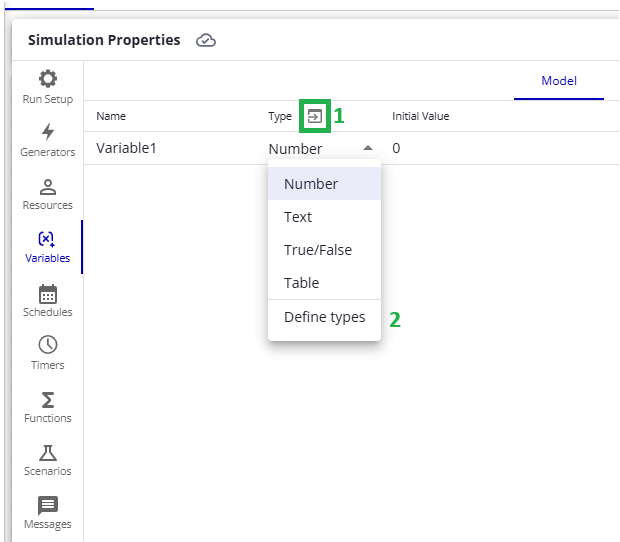
Rename default scenario
You can now rename the default scenario for more clarity. In your checked-out Simulation diagram, go to Simulation Properties → Scenarios and double click the Default name to enter the edit mode.
Easy access to enumerated types
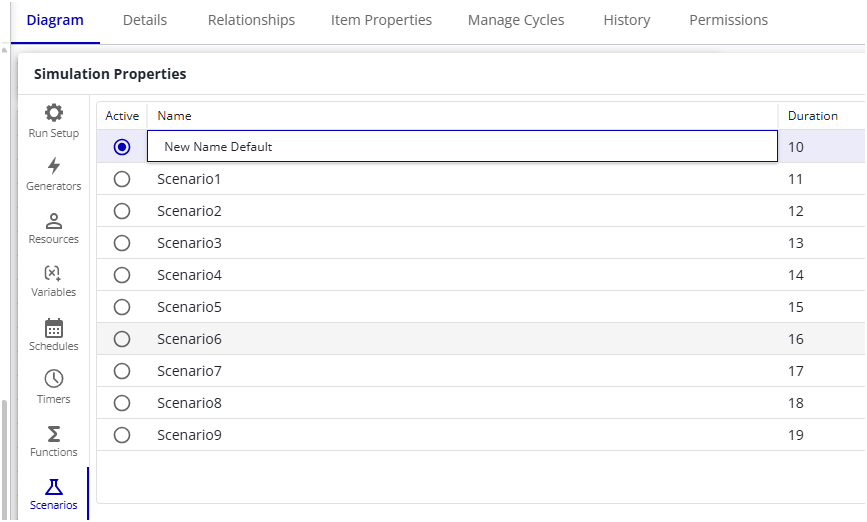
You have now two ways to navigate to enumerated types: 1) directly via the “define types” icon or 2) from type dropdown menu → Define types