

19.23.0 Cloud Release Highlights
Dashboard - Custom Object List Gadget with Parent Object Filter
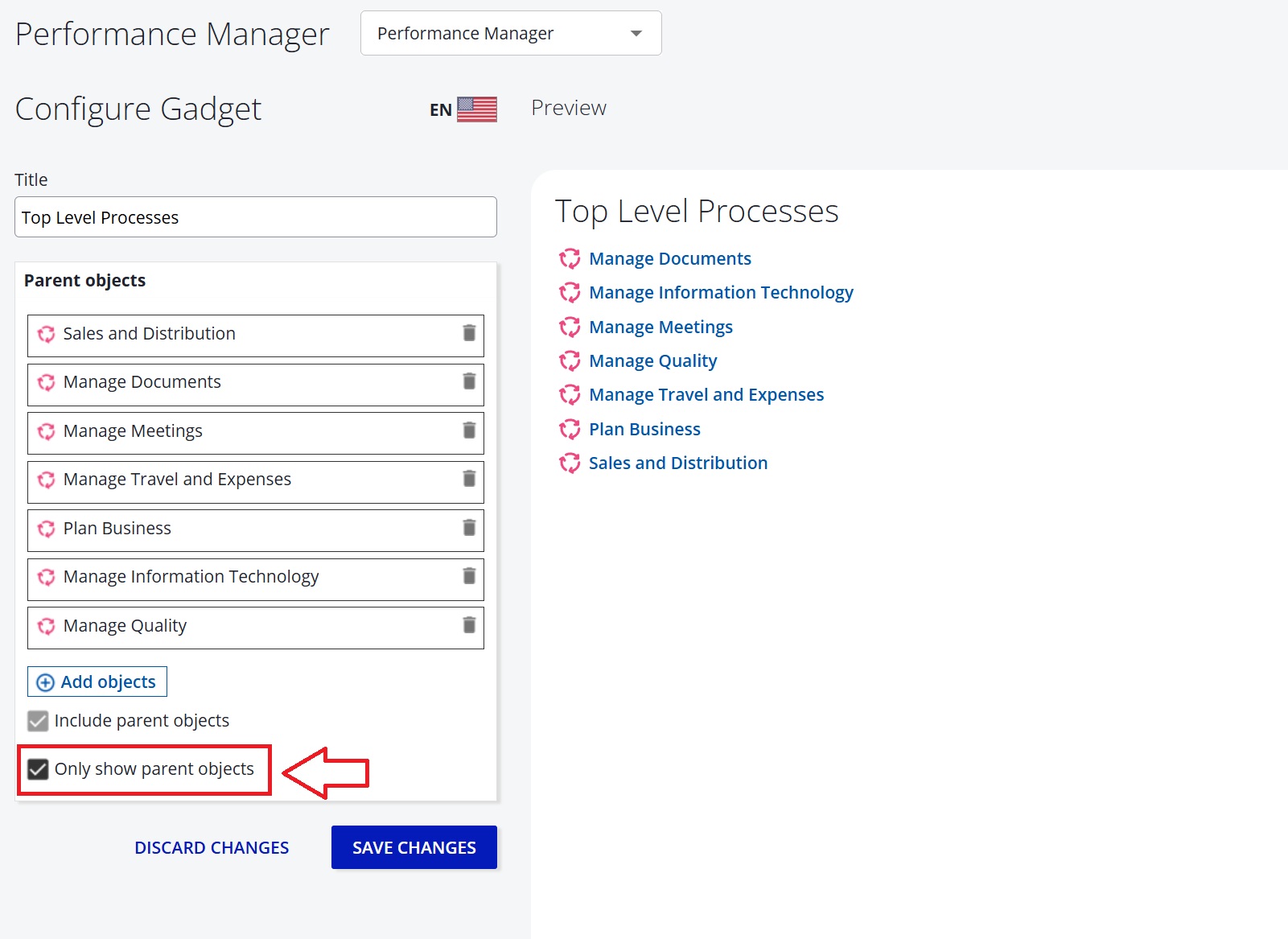
We have added an “Only show parent objects” option to the Custom Object List gadget. When enabled, the gadget displays only explicitly selected parent objects (no descendants included).
Change in behavior: Reporting - Download Filtered Report
Report downloads now respect the active UI filters. When filters are applied, the exported Excel file contains only the matching rows. Without filters, the full report is exported as before.
Note: The Excel export may include more rows than displayed in the UI if the report hit the item limit and the user did not click Show All Items. The export always returns all matching objects regardless of the UI pagination limit.
Reporting - Improved Sorting for Text Columns
Text columns now use natural sorting when selected for sort order, ensuring values like 1.0, 2.0, 11.0 appear in the expected sequence. This improvement does not yet apply to the List Report dashboard gadget.
Reporting - Download Sorted Report
Downloaded report data now matches the exact order shown in the web view, including any user-applied sorting. This ensures consistency between on-screen reports and exported data.
Object Picker Behavior
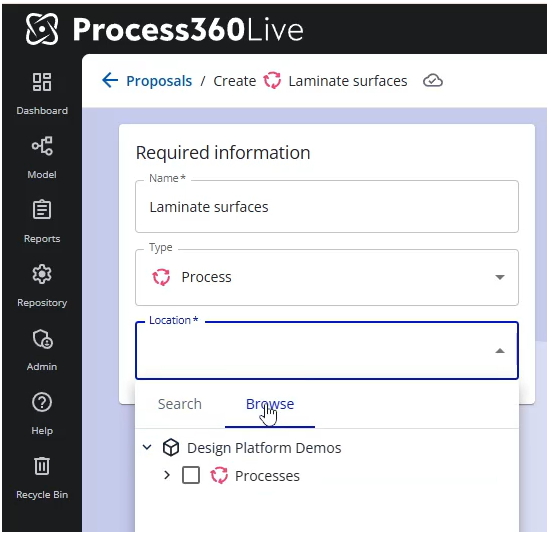
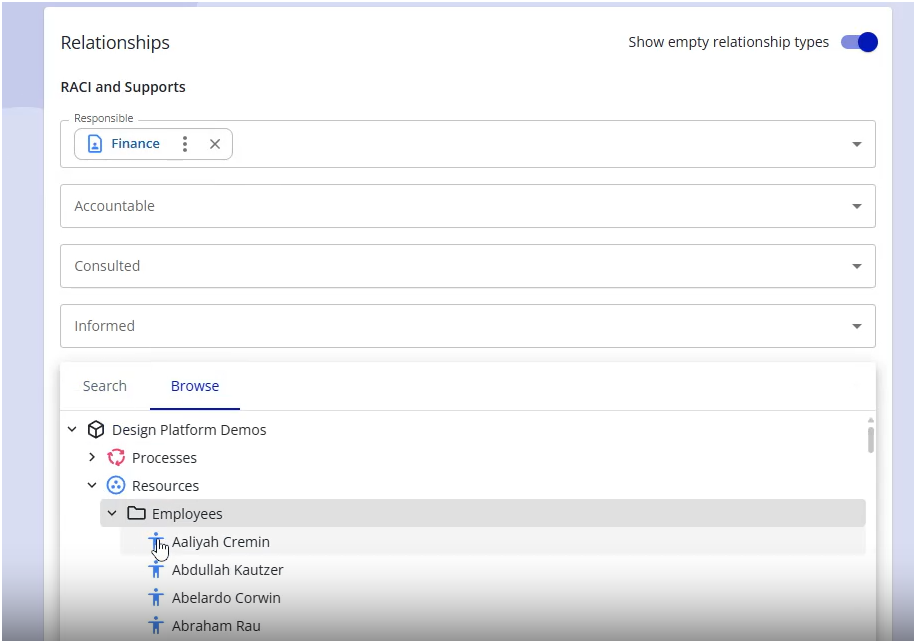
We have consolidated the Object Picker in several areas, including Proposals and ICS Risks, and added browse capabilities.
|
|
|---|
Improved Performance for Large Diagrams
Dragging shapes in large diagrams is now significantly smoother with a new performance mode. Hold Shift while dragging to move objects and the system will automatically switch to this mode if performance slows down. Additionally, drag behavior is now more precise, keeping the object anchored exactly where you grab it.
You can also hold the Shift key to move shapes out of a pool without triggering container resizing, making it easier to pull objects out—especially in large diagrams.
Early Access
Early Access features require your system administrator to enable them for your entire organization. How to enable Early Access features
Pia - For Reports and Search
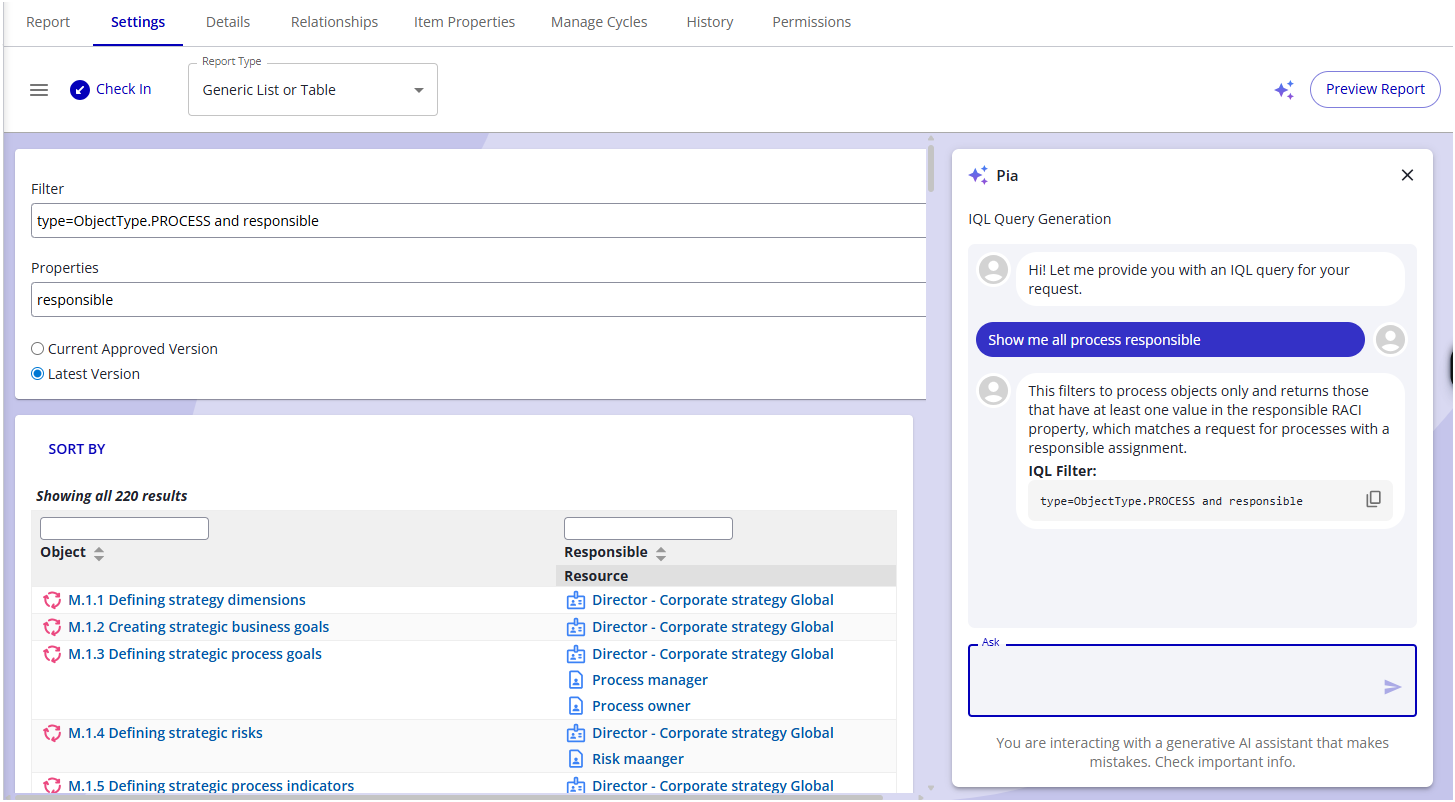
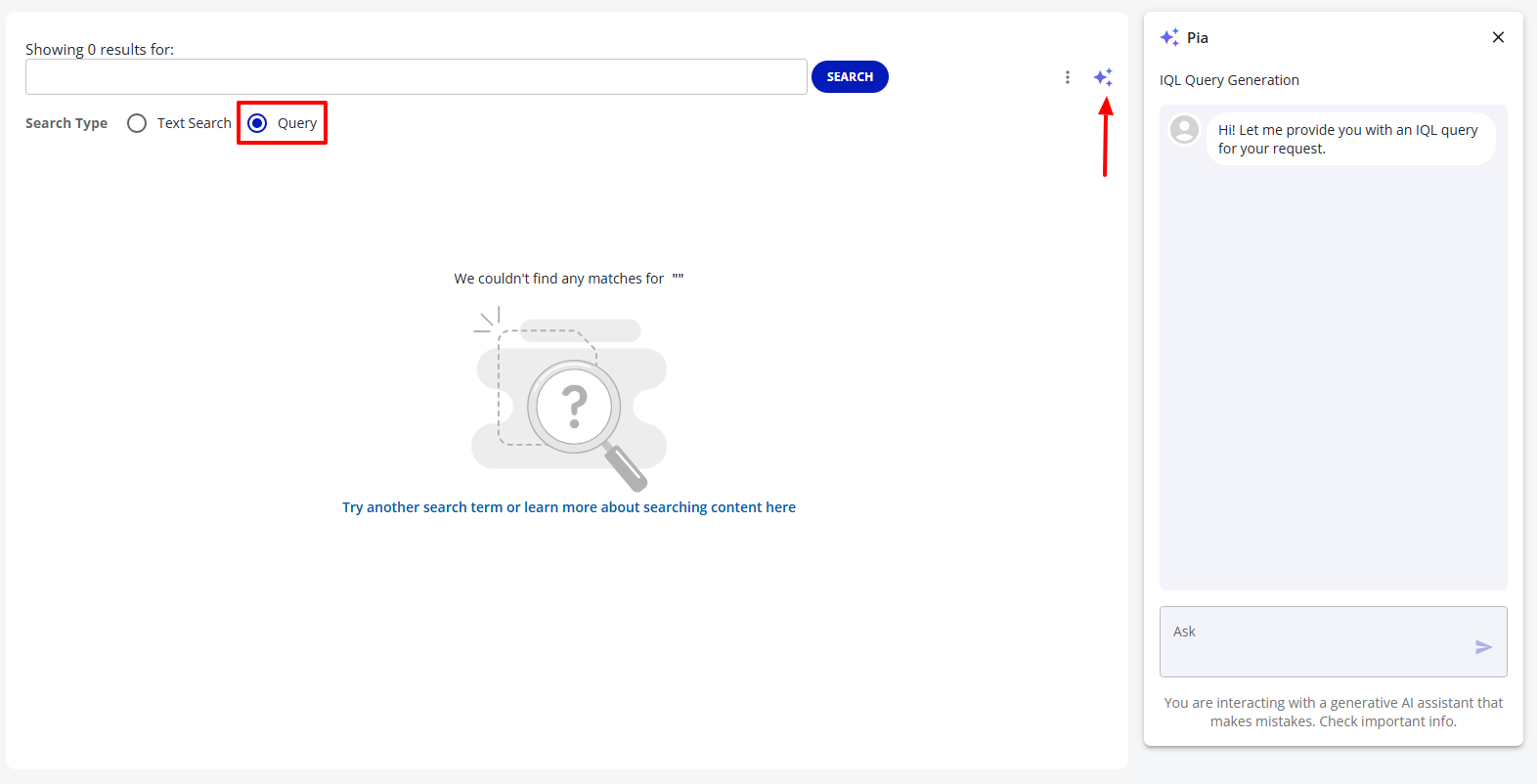
Pia can now generate IQL filter expressions from natural language for the advanced search page and report settings. The feature includes a toggle button to show/hide the Pia chat UI in IQL areas, and Pia provides an explanation of how each query was constructed. This is gated behind two Early Access feature flags: Pia - For Reports and Search and New Reporting UI
Read more about: Pia for reports and search
Narrative - Shape List Scope for Subprocesses
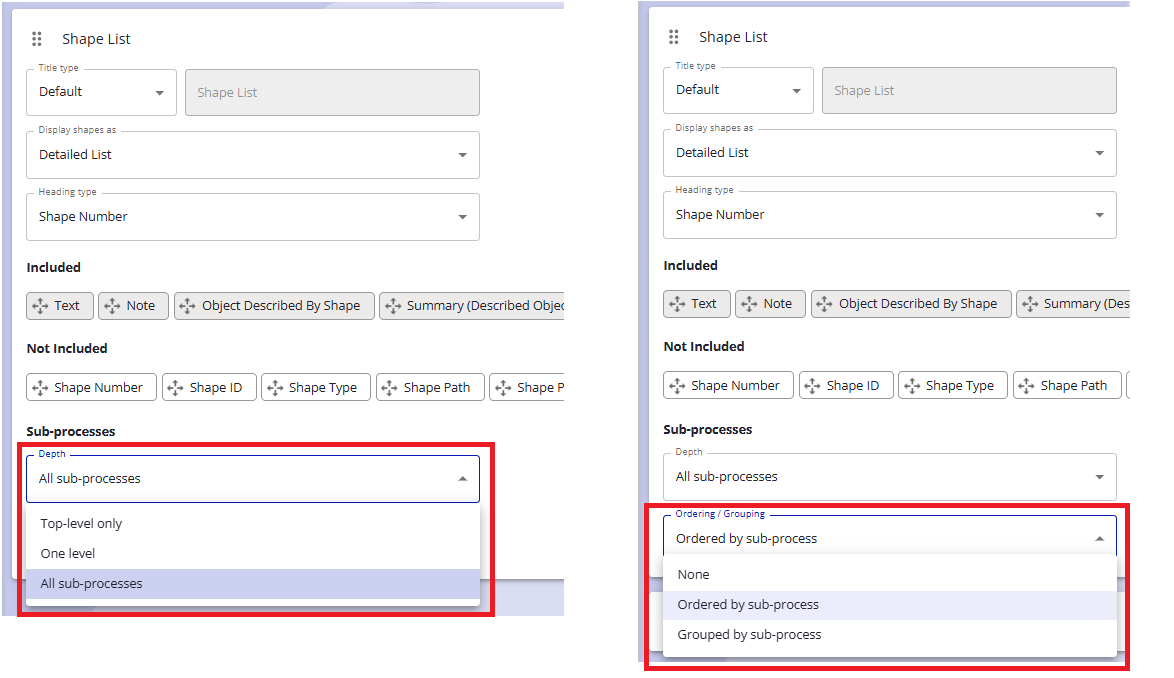
Diagram Narratives now support configurable shape list scope and display, allowing control over sub-process depth (top-level only, one level deep, or all; default remains all) and switching between a combined (grouped) or per-subprocess view (default). Existing sections retain their previous sorting behavior for consistency. This feature requires enabling the Early Access feature: New Reporting UI.
Narrative - Optional Section Headers
Narrative authors can now hide section headers when they don’t add value, allowing content (e.g., Diagram sections) to stand on its own for a cleaner presentation.
This feature requires enabling the Early Access feature: New Reporting UI
Read more about: Narrative Reports
Notice - New Narrative UI is now New Reporting UI
We have renamed the flag to New Reporting UI to better reflect the broader set of changes included. Improvements have been made across the general reporting experience, with a particular focus on Narratives.