

This feature is part of our Early Access program (as of 19.23.0 release), and may be disabled on your instance. It is not available for self-hosted instances. Your system administrator can enable this feature for your entire organization. This feature also requires the New Reporting UI feature to be enabled as well. How to enable Early Access features

Who can use Pia (Process Intelligence Assistant) for reports and search
Anyone with permission to view the full Search page can use this feature there. Additionally, anyone with edit/checkout rights on Report objects can use it on the settings tab as well.
Generating a search query with Pia
-
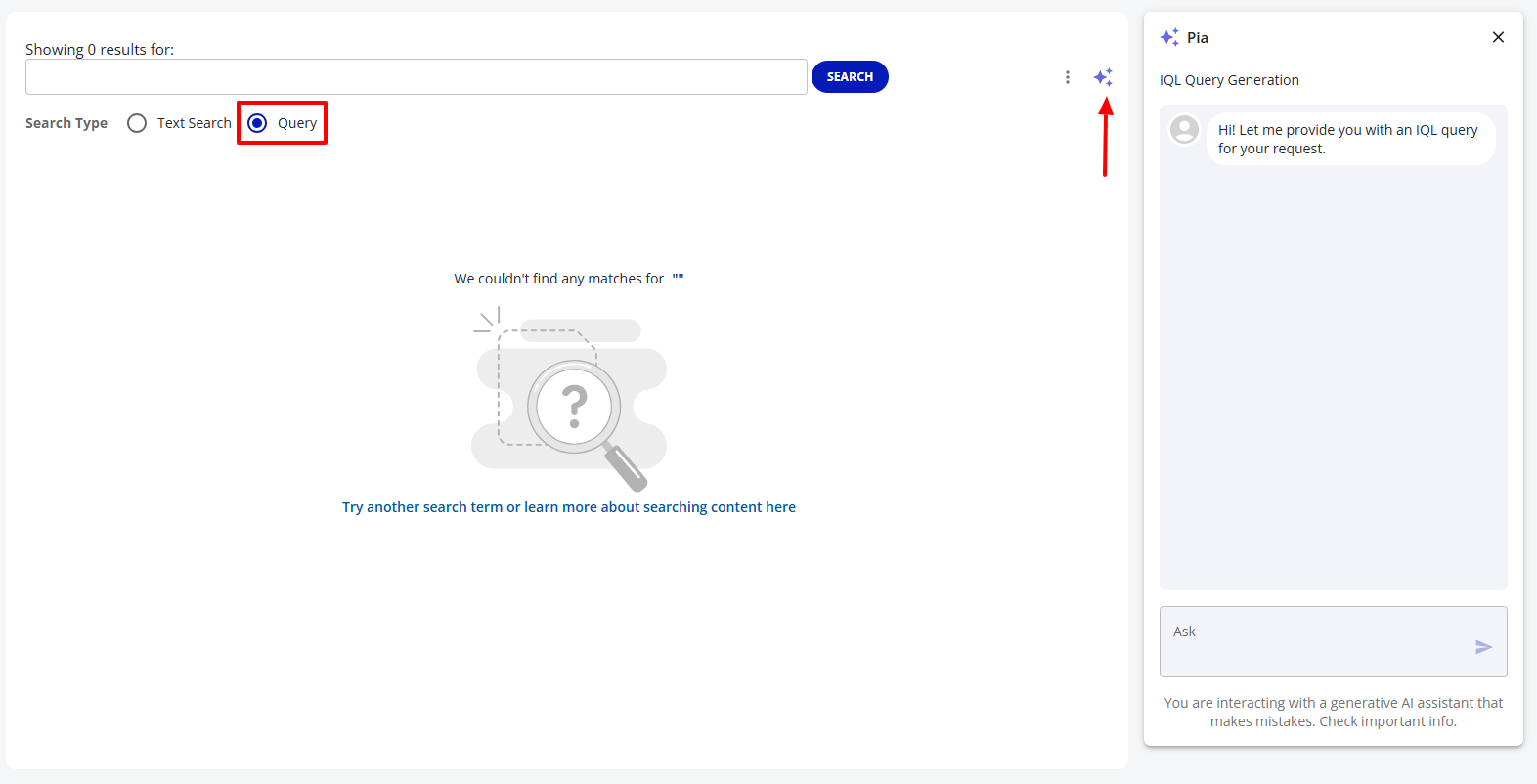
On the full Search page, while in Query mode, you can open/hide the Pia chat panel with the Pia icon.
-
-
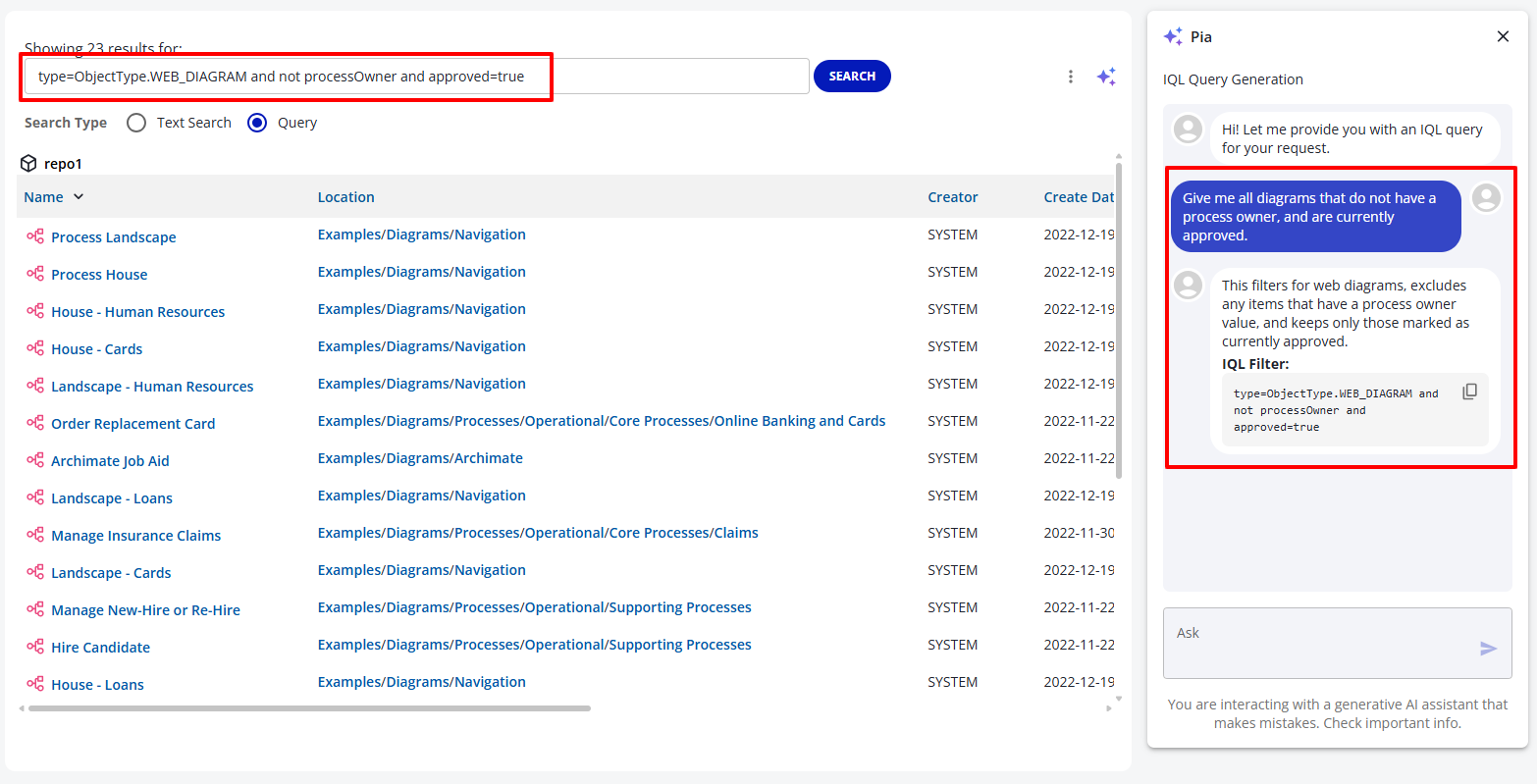
As you talk to Pia, you will be provided with IQL filters that can be used to perform a search. (The query filter that Pia provides will automatically be used, and search results will be shown for that filter.)
-
Using Pia to generate a filter for your Report object
⚠️ Note: This only applies if the New Reporting UI feature has been enabled on your instance.
-
Navigate to a Report object that you have the rights to check out, and do so. Or, create a new Report object.
-
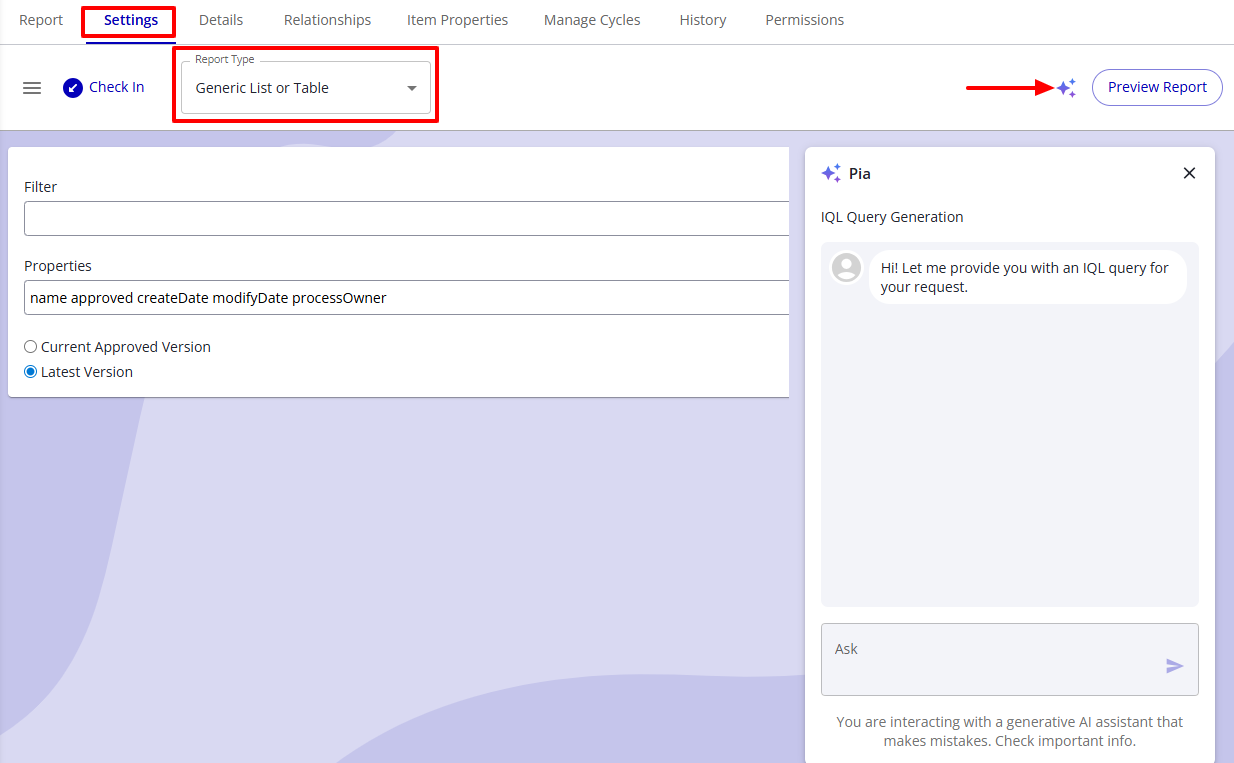
On the Settings tab, make sure that the type is “Generic List or Table” or “Text Search Report”.
-
-
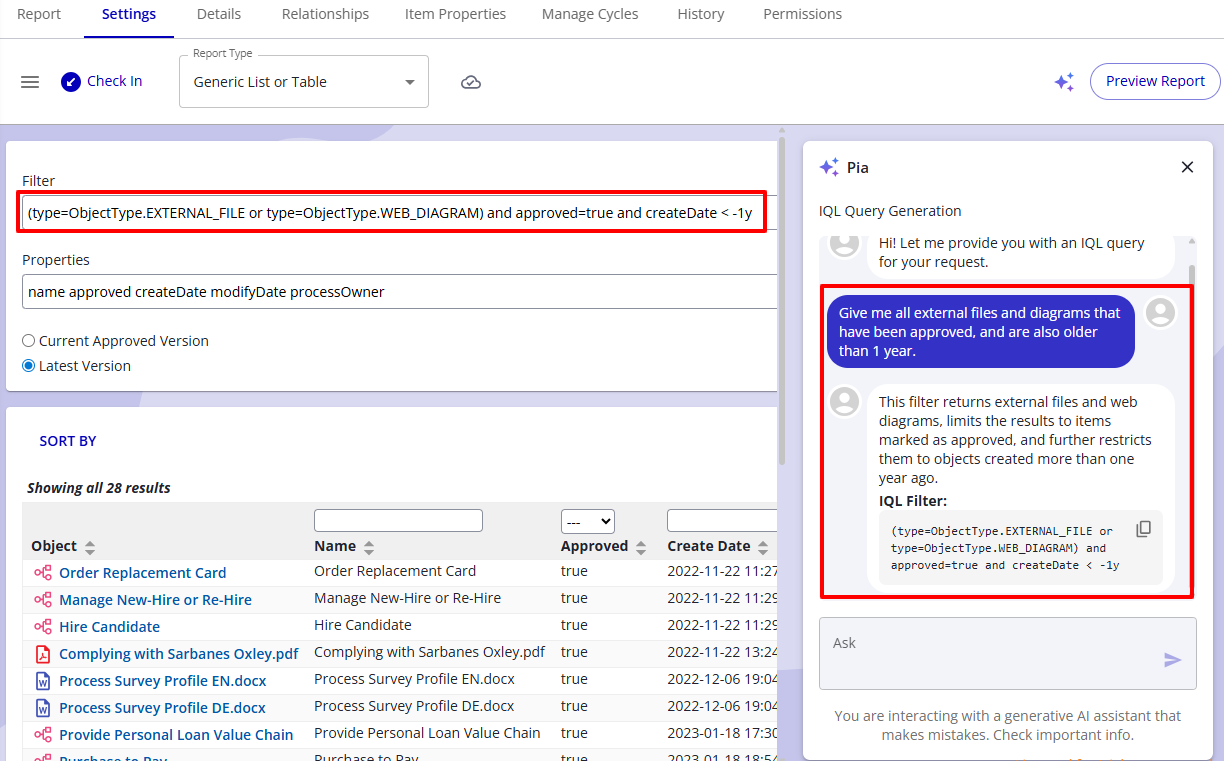
As you talk to Pia, you will be provided with IQL filters that will be automatically inserted into the Filter input box, and the Preview of the results will be shown.
-
Things that Pia can do for reports and search
-
Pia has a full list of the available properties used for IQL (iGrafx Query Language).
-
Some examples you can try to ask Pia for:
-
Give me all diagrams that do not have a process owner, and are currently approved.
-
I need all objects that have the word "process" somewhere in them, and are not diagrams.
-
Can I get all Resource objects that are responsible for some other object, and have been modified in the past 10 years.
-
Things that Pia cannot do yet
-
Pia cannot provide or update the Properties input field for your Report object
-
Pia’s query generation feature is not available for ad-hoc reporting.
-
Nested sub-properties cannot be generated at this time (e.g. currentRiskData.initialRisk)
Cloud Only
Pia is currently only available in the iGrafx cloud.
Data Privacy
-
Pia conversations are visible only to the user who initiates them.
-
Customer data is not used for training or fine-tuning the model.
-
Pia uses a Large Language Model (LLM) hosted on Azure within your existing cloud services environment.
Your data does not leave the Azure environment.
Disclaimer
Pia is a generative AI assistant and may produce inaccurate or incomplete information.