

19.21 Datacenter Highlights
Narrative - Shape List
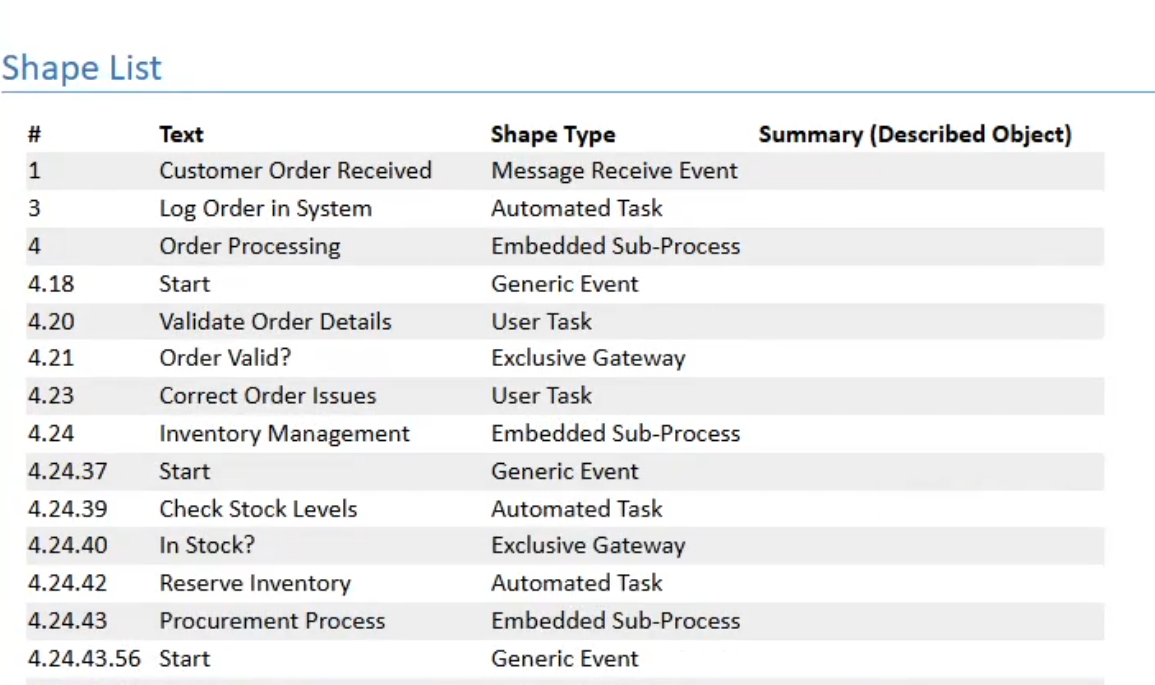
You can now add Shape Type as an available property in the Narrative’s Shape List section.
Read more about: Narrative Reports
Copying Objects to Multiple Locations
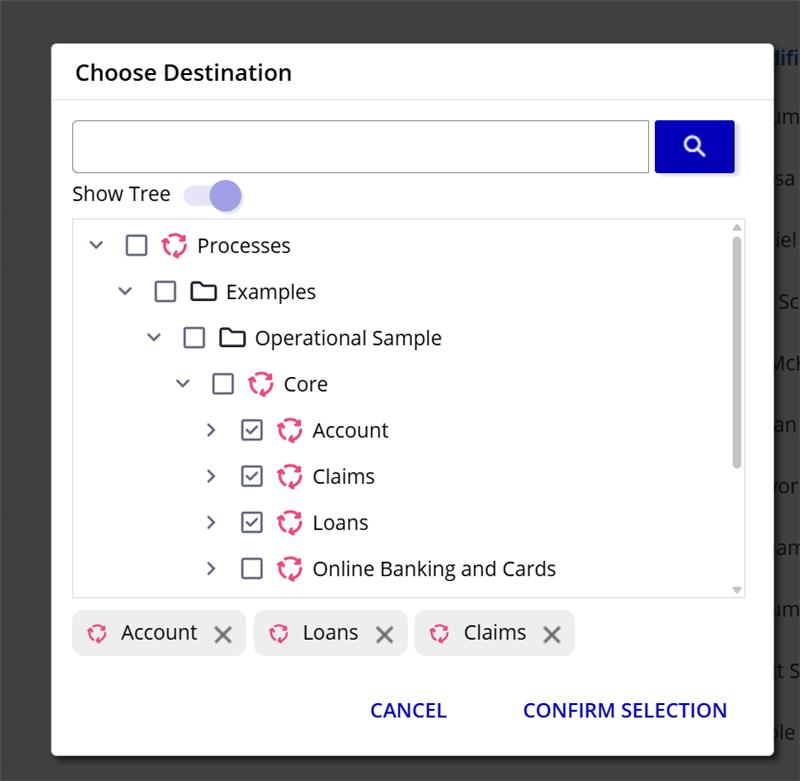
Object copying has been enhanced to support copying to multiple locations in a single operation. To improve reliability and performance, copy operations now run as background jobs.
When you start a copy, the dialog closes immediately and a notification confirms that the job is in progress. You can track the status under Notifications → Job Status. Once completed, the job entry expands automatically. If only a single object is created, you are taken directly to the new object in a separate tab.
Please note that the object tree does not automatically refresh after the copy completes.
Object History Export now with Object IDs
The Excel export of history data now includes Object IDs for improved traceability and analysis.
Relationship changes include the Object IDs of related objects, and folder move entries include both source and destination folder Object IDs. The new fields are clearly labeled in the export file, and all history entry types remain available in a single downloadable Excel report.
This enhancement adds additional reference information without changing existing permissions or security behavior.

Change in behavior: Cycle Completion
Cancelling a manually started cycle used to count as a completion with impact on your scheduled cycles. With this version, cancelling a manually started cycle no longer counts as a completion and therefore, does not affect your schedule.
Security: Removal of Public Version Information
To further strengthen security in iGrafx Process Design, version and library information is no longer exposed through public endpoints, including Login page, public Health endpoint, and the public About page. This change reduces the exposure of technical details that could otherwise be used to identify potential vulnerabilities.
Security: Content Security Policy as Report-Only
We've implemented Content Security Policy (CSP) headers to enhance the security of the iGrafx Platform. CSP is a browser security mechanism that helps prevent cross-site scripting (XSS) attacks, clickjacking, and other code injection attacks by controlling which resources can be loaded and executed on web pages.
Read more: 2026-02-11 CSP/Content Security Policy with 19.21
Early Access
Early Access features require your system administrator to enable them for your entire organization. How to enable Early Access features
Narrative - Display of Collapsed Sub-Processes in Narratives
Narratives now provide more flexibility when working with diagrams that contain collapsed sub-processes. With the New Narrative UI feature flag enabled, you can configure how collapsed sub-processes are handled in the diagram section. You can choose to hide them (current behavior), display all of them, or limit how many are shown.
When enabled, collapsed sub-processes are included in Web, Word, and PDF narratives with an identifying label for clarity.
Read more: Narrative Reports
Status Log - Job Completion Time
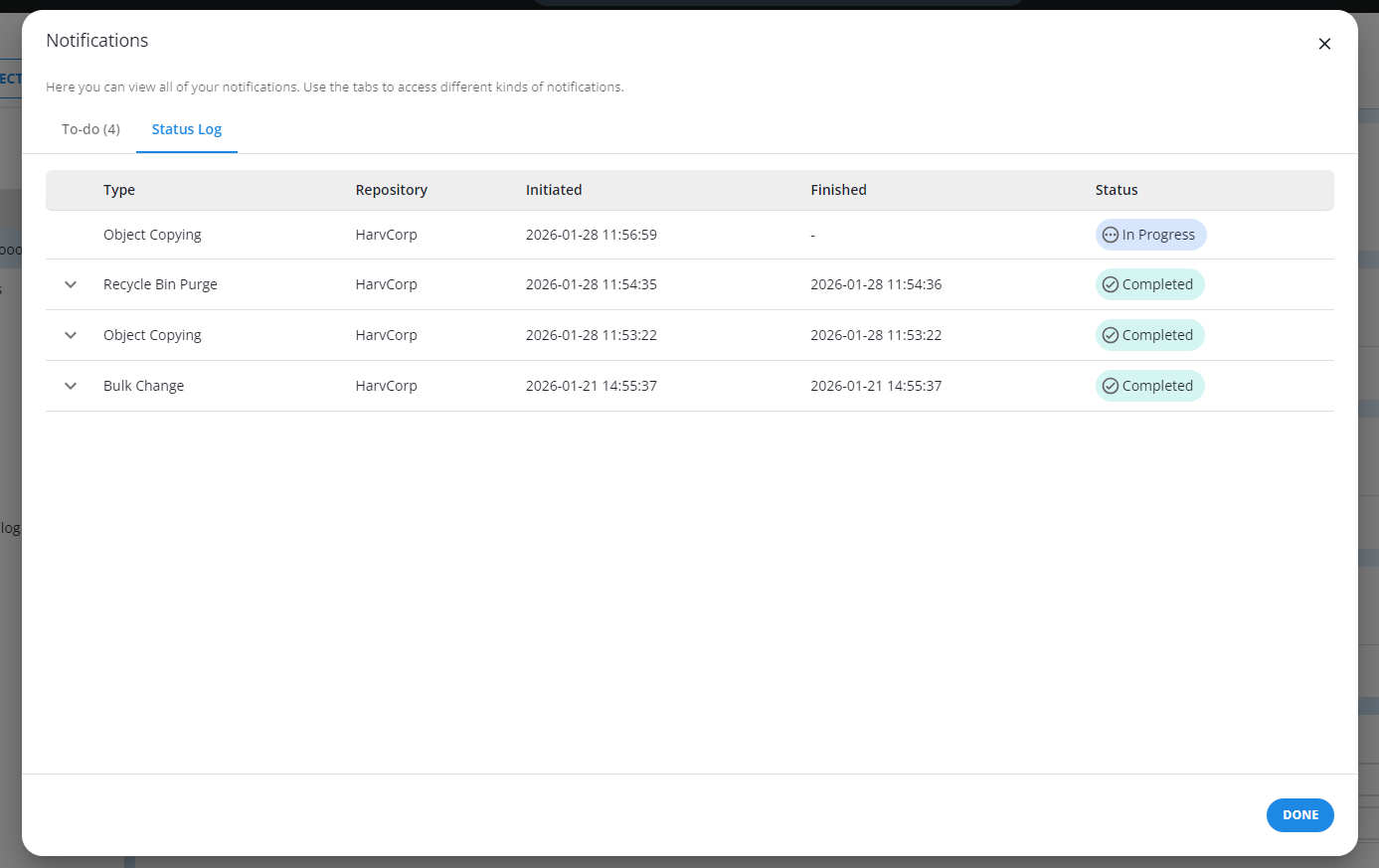
If the Notifications feature flag is enabled, you can now see start and finish times of your most recent jobs under Notifications → Status Log. The log refreshes every 5 seconds while jobs are in progress, and every 10 seconds when no jobs are running.
More details: Job Status Notifications