19.3.1 Datacenter Highlights
Features
UI Language - Arabic
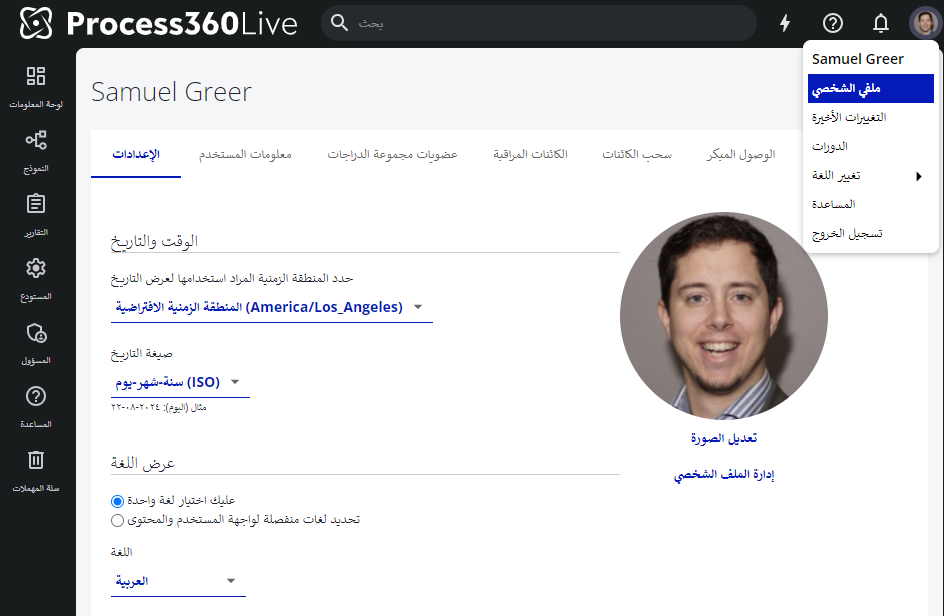
Users may select Arabic as a UI language in their profile settings. Click your profile image → My Profile, and scroll to the Language section.
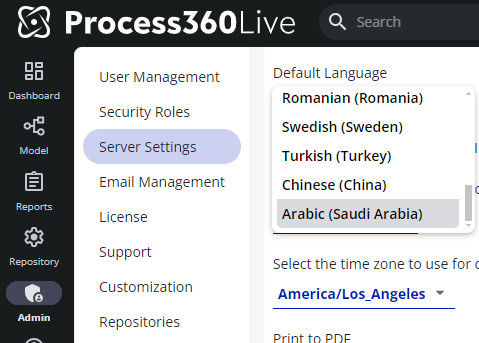
Admin’s may also set the default server server language to Arabic navigating to Admin → Server Settings → General Configuration, and scrolling to the Default Language setting.
Note: Arabic support does not support right to left language justification.
Reporting - Diagram ElementType
Report on diagram element type information to report on more information inside diagrams.
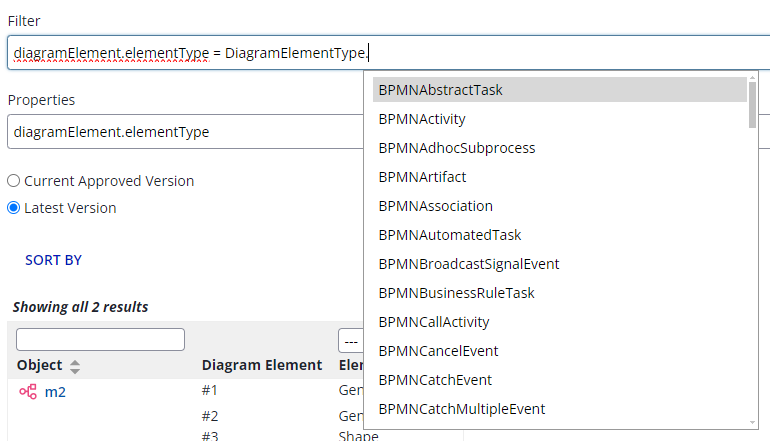
For example, this capability enables reporting on the number of activities in a diagram that are automated vs. manual, assuming the shape type was specified in the diagram.
Note: The current implementation of this feature requires diagrams to be checked out and checked back in since the release of v19.3.0 in order for ElementType to be reported on.
Learn more about ElementType reporting.
REST API - Update KPI Targets
Update KPIKPI Eine quantitative Kennzahl, mit der die Prozessleistung an einem Ziel gemessen wird – zum Beispiel die durchschnittliche Durchlaufzeit, die Automatisierungsquote oder der Anteil an Nacharbeit. targets via REST API.
Navigate to the API documentation by navigating to Admin → Support → REST API → iGrafx Platform API Documentation → Performance Indicators
General Access Features
Process Owner
Process OwnerProzessverantwortlicher Die Person, die für einen bestimmten Geschäftsprozess verantwortlich ist – für sein Design, seine Leistung und seine Verbesserung. Die wichtigste beteiligte Person für die Ergebnisse von Mining und Simulation. is a new field for Process Objects and Process Diagrams located in the “Process” tab and “Details” tab, respectively.
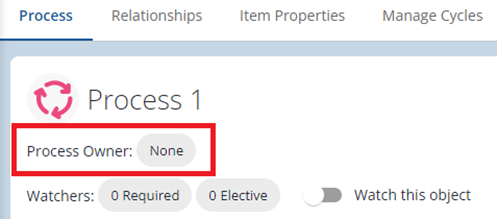
When the Process OwnerProzessverantwortlicher Die Person, die für einen bestimmten Geschäftsprozess verantwortlich ist – für sein Design, seine Leistung und seine Verbesserung. Die wichtigste beteiligte Person für die Ergebnisse von Mining und Simulation. chip is selected a single named Process360 LiveProcess360 Live Die Cloud-Plattform von iGrafx für durchgängiges Prozessmanagement – sie vereint Prozessdesign, Mining, Simulation und Automatisierung in einer einzigen Umgebung. user may be entered as the Process OwnerProzessverantwortlicher Die Person, die für einen bestimmten Geschäftsprozess verantwortlich ist – für sein Design, seine Leistung und seine Verbesserung. Die wichtigste beteiligte Person für die Ergebnisse von Mining und Simulation.. The user’s name and e-mail address (if available) are then displayed in the Details tab AND (if specified on a Diagram) on the info box in Diagram.
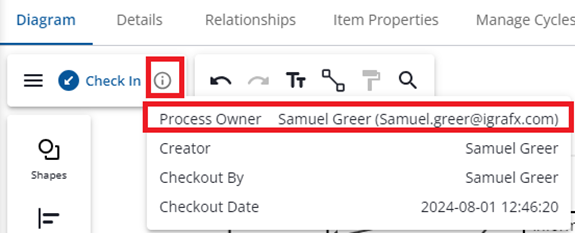
For many organizations, the Process OwnerProzessverantwortlicher Die Person, die für einen bestimmten Geschäftsprozess verantwortlich ist – für sein Design, seine Leistung und seine Verbesserung. Die wichtigste beteiligte Person für die Ergebnisse von Mining und Simulation. is a point of contact for a process that frequently acts as the primary editor of the process, and may or may not be aligned with RACI assignments.
Process OwnersProzessverantwortlicher Die Person, die für einen bestimmten Geschäftsprozess verantwortlich ist – für sein Design, seine Leistung und seine Verbesserung. Die wichtigste beteiligte Person für die Ergebnisse von Mining und Simulation. may be updated across processes in bulk via the Bulk Object Changes feature.
Learn more about Process Owner
Bulk Object Changes
Make changes to many object relationships in one action with Bulk Object Changes. Search for objects, select multiple search results to perform bulk operations on by checking the objects to modify, and open the Bulk operations panel via the 3 dots in the top right of the search results page.
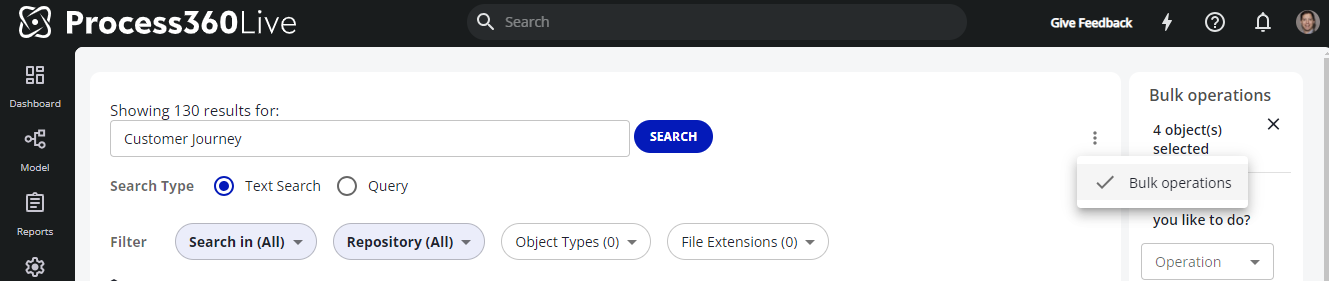
IQL Queries are now possible in the Search results page, which enables more targeted search results on which to perform bulk operations. Navigate to the search results page and change the search type to “Query” to search using IQL properties.

Learn more about Bulk Object Changes
Tablet Diagramming
When opening diagrams on devices with small screens or small browser windows, diagrams will automatically open in full screen mode, creating more space for the user to view the diagram.
Note: Users may exit full screen mode by clicking the “exit full screen” button in the bottom right corner of the diagram, or by clicking / swiping the back button on their device or browser.
