19.13.0 Cloud Release Highlights
Admin can set a Default dashboard
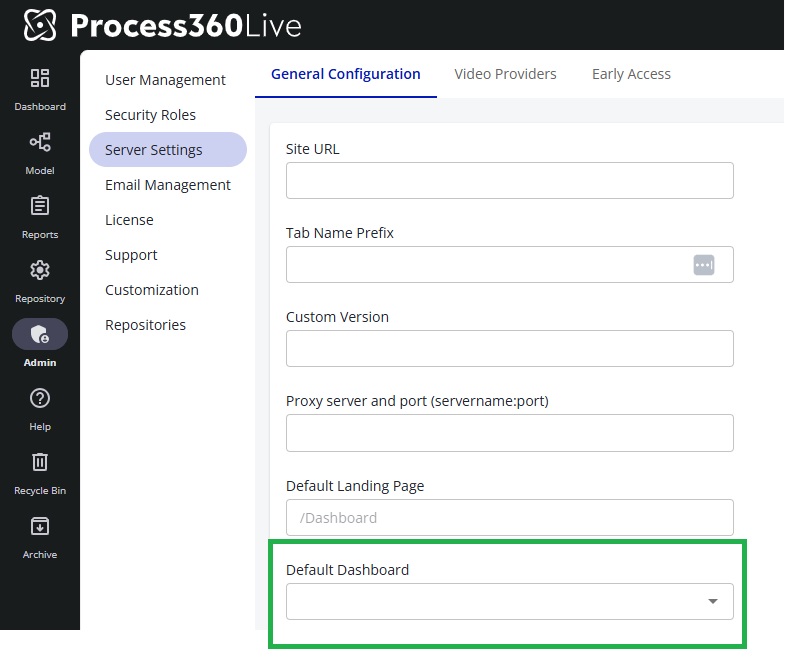
Administrators can now set a server-wide default dashboardDashboard Eine konfigurierbare Ansicht in Process360 Live, die KPIs, Diagramme und Filter über einen oder mehrere Prozesse hinweg zusammenführt, damit Beteiligte die Leistung überwachen können. for users, providing a consistent starting point when navigating to the /Dashboard URL. At the same time, individual users retain the ability to override this setting by choosing their own default dashboardDashboard Eine konfigurierbare Ansicht in Process360 Live, die KPIs, Diagramme und Filter über einen oder mehrere Prozesse hinweg zusammenführt, damit Beteiligte die Leistung überwachen können.—ensuring flexibility without sacrificing centralized guidance. This behavior respects the existing custom landing page which is loaded when the user logs in and only applies when no personal default has been selected. The feature is controlled by the "Can Customize" server permission and was designed to balance control and personalization.
Configurable under Admin → Server Settings → General Configuration → Default DashboardDashboard Eine konfigurierbare Ansicht in Process360 Live, die KPIs, Diagramme und Filter über einen oder mehrere Prozesse hinweg zusammenführt, damit Beteiligte die Leistung überwachen können.:
Reporting - Cycle Schedule
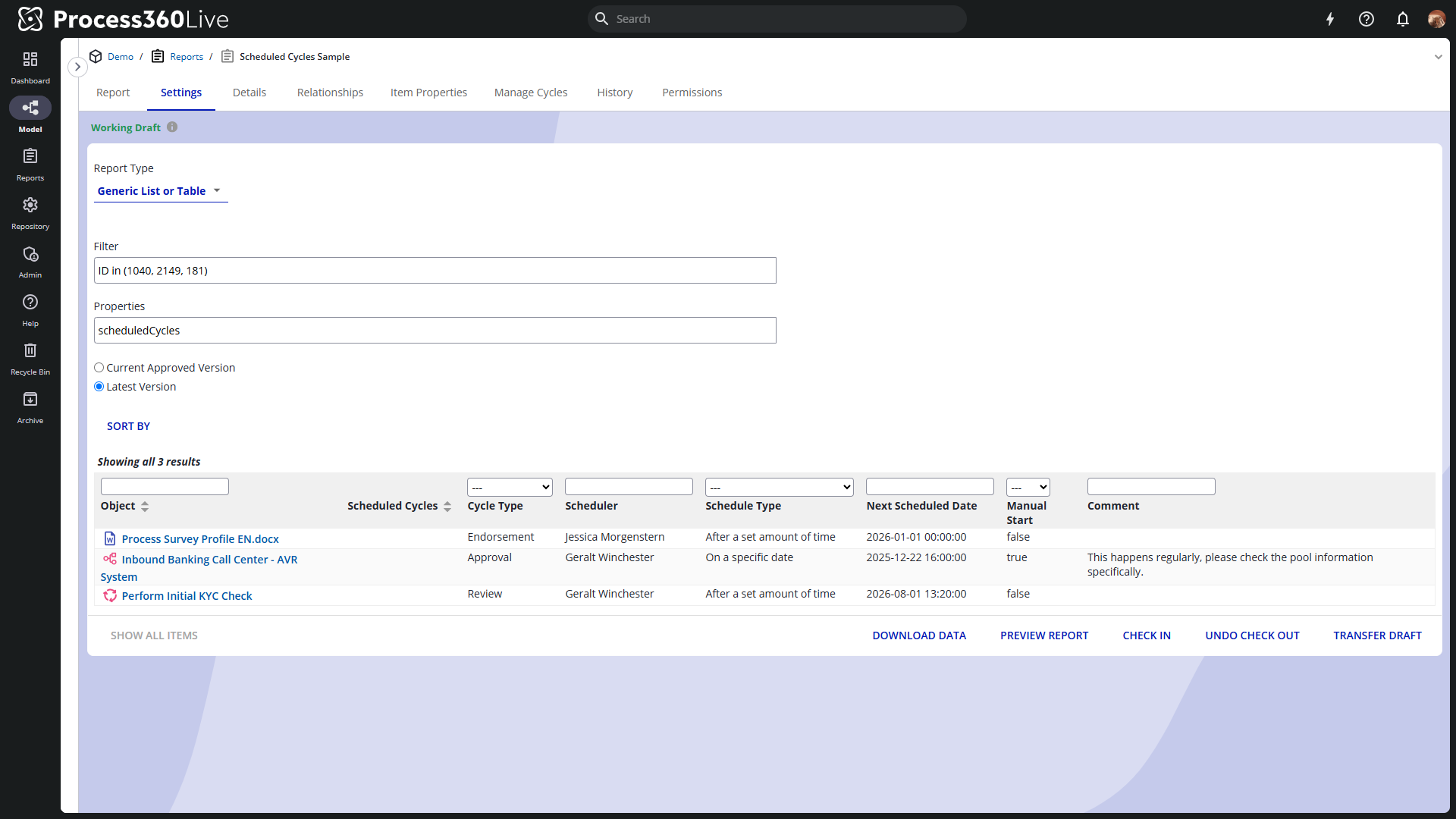
We’ve introduced a new IQL property, scheduledCycles, to enhance reporting on scheduled cycles. Its subproperties are scheduler, cycleType, scheduleType, manualStart (true/false), comment, and nextScheduledDate.
Simulation Enhancements
This release includes several usability and performance enhancements for simulation projects:
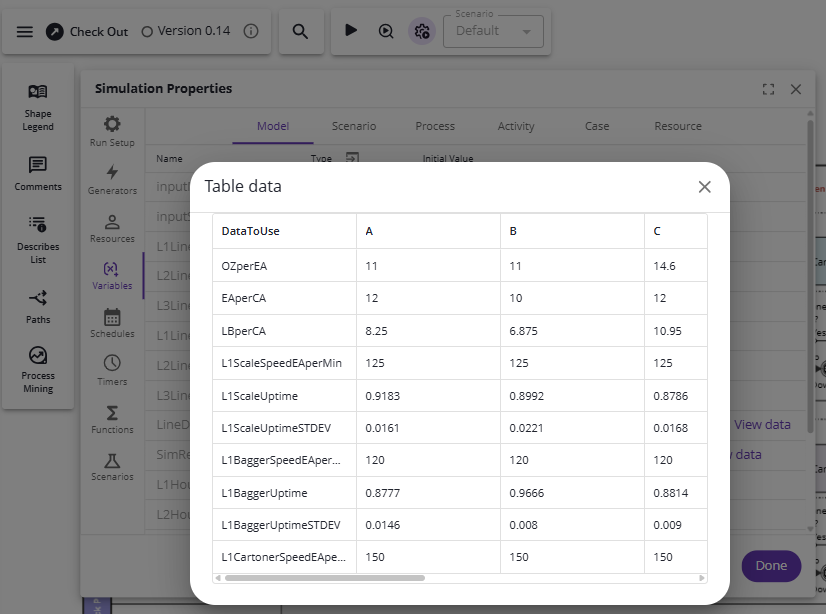
- Table type variables (or ‘Arrays’) may be used to read and/or store a vast amount of information within a single variable. See Table Variables (Note that the ‘External Data’ early access feature, mentioned below, should be turned on for use with Table Variables).
-
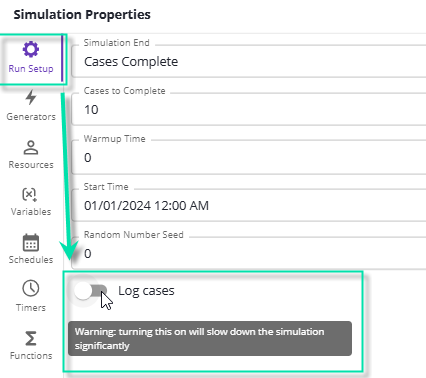
It is now possible to log individual cases (tokens) during a simulation run to capture detailed statistics. Note: This may slow down the simulation.

-
The resource name is now displayed alongside each statistic in the simulation project overview.

-
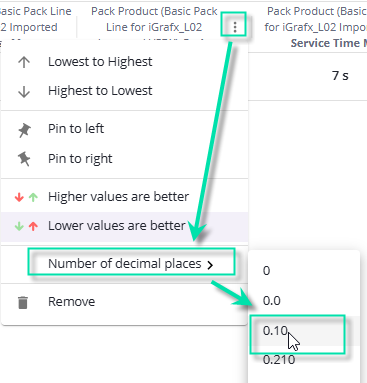
You can now specify the number of decimal places shown in the overview of a simulation project.
-
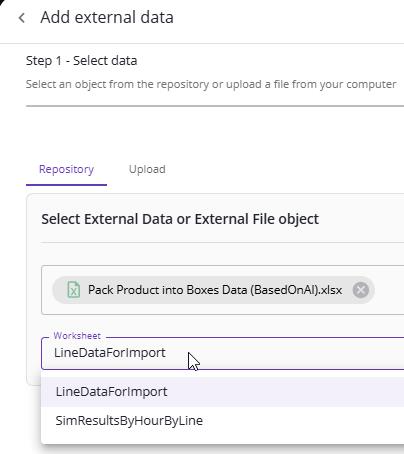
When importing external data from an XLSX file, you can now select which worksheet to use.
-
Very large external data files (e.g., for the External Data Generator) are now supported.
-
How External Data Generator data is stored during IGXW export has been improved.
Early Access
⚠️ This feature is part of our Early Access program. Your system administrator can enable this feature for your entire organization. How to enable Early Access features

External Data
The External Data Object is a powerful tool for working with structured data in Process DesignProcess Design Die Disziplin, Geschäftsprozesse explizit zu modellieren, um sie zu dokumentieren, zu analysieren und zu optimieren. In Process360 Live ist Process Design die Seite der Erstellung, die die datengetriebene Sicht des Minings ergänzt.. It can be used to feed simulation models—such as generating cases from process miningProcess Mining Eine Disziplin, die von Unternehmenssystemen aufgezeichnete Ereignisdaten nutzt, um reale Geschäftsprozesse zu erkennen, zu überwachen und zu verbessern – sie zeigt, wie Arbeit tatsächlich abläuft, statt wie sie entworfen wurde. logs—or to populate Custom Properties for analysis in the Metrics Panel or Value Stream Mapping diagrams.
Read more: External Data Object