Possible errors on data ingestion
Quotas only take into account successful ingestions : failed projects are not counted in any quota.
Excel files errors
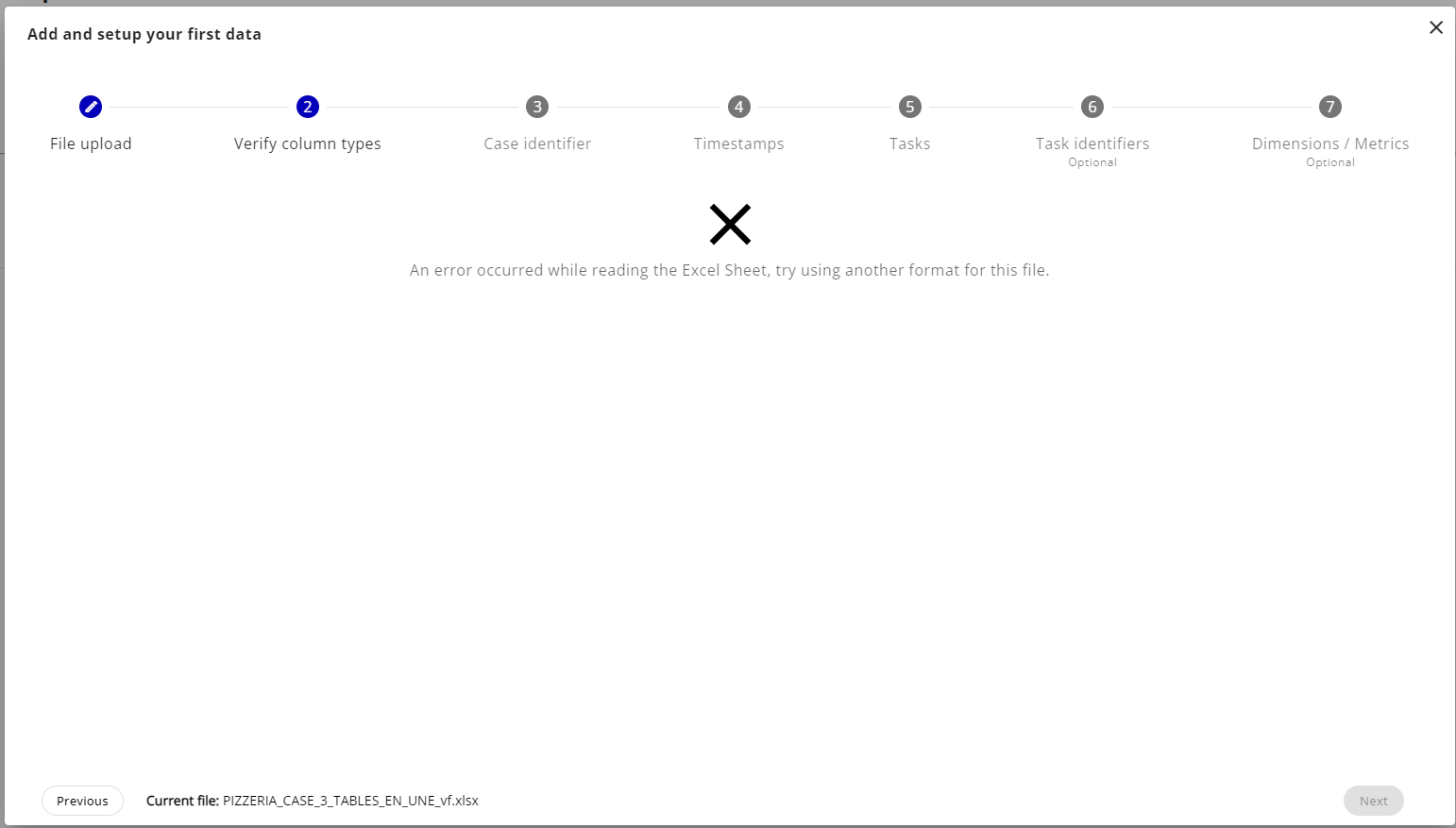
If you come across this error it means your excel file is either:
- Corrupted
- Lost the reference to its cells
- Has unreadable data
We recommend to export the excel file to CSV format and retry. If the errors persist please contact the support for help.
ZIP folder errors
ZIP folders can have multiple error messages but the most common; if you are using Windows; will surely be the following:
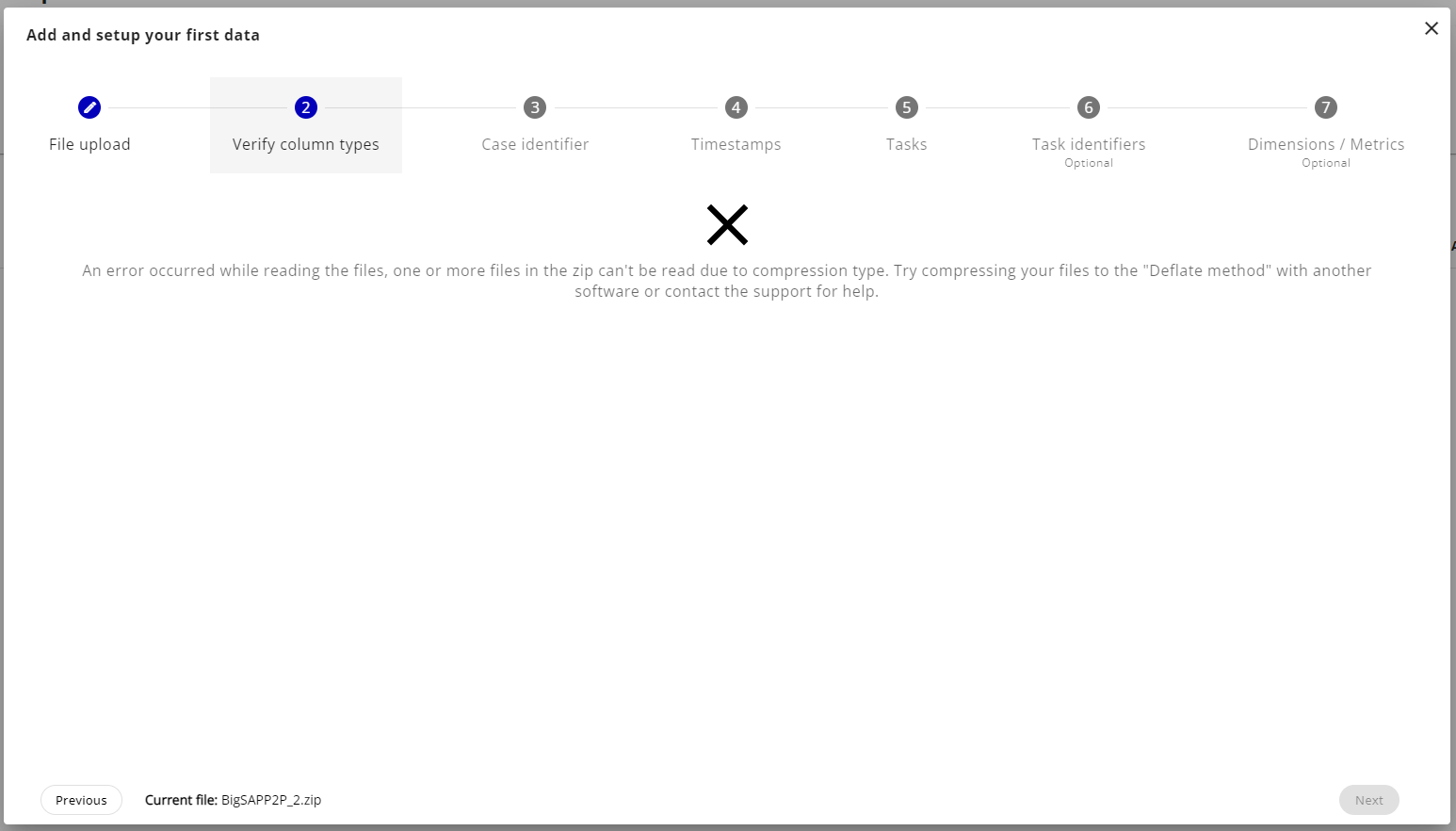
This error can appear when you compressed big files (> 1.5GB) throught the file explorer of Windows. Windows compress big files with a particular method; DEFLATE64.
To avoid this error you'll need to use another software for compression (or compress on MacOS), we recommend using 7zip.
How to compress your data with 7zip
This is a walkthrough on how to re-compress your file with the 7zip software. The pre-requisite is installing 7zip.
The quick way
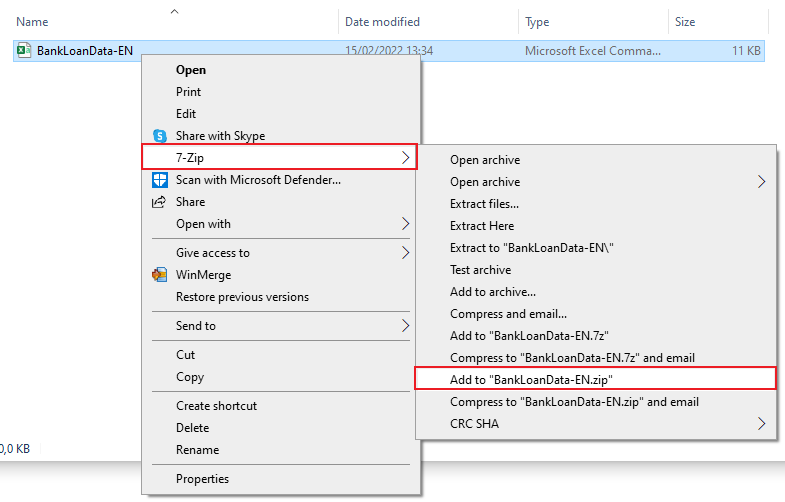
Simply select your files in the file explorer and right-click on one of them. In the menu you'll see a section 7zip, hover on it and on the submenu click on "Add to "*file name*.zip"". This will open a loading screen while your file is being processed, once finished you can find your zip folder in the same directory.
The long way
Select and open your file with 7zip
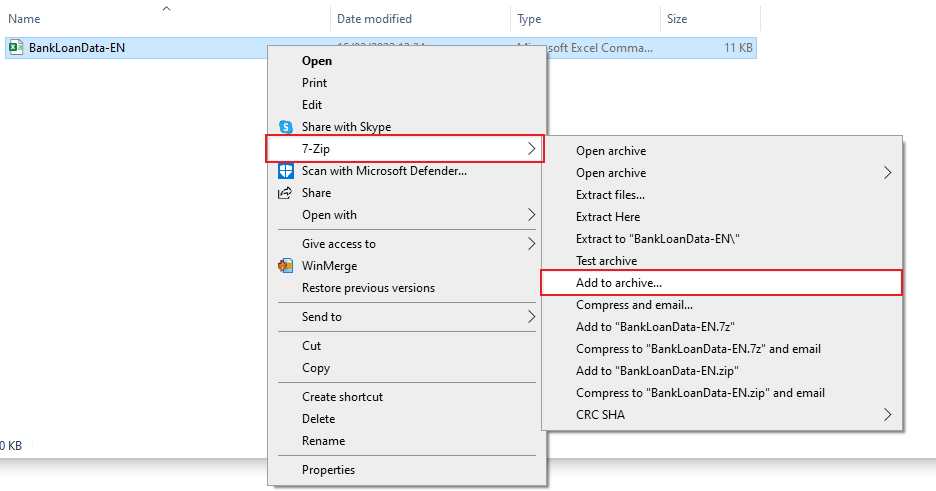
Simply select your files in the file explorer and right-click on one of them. In the menu you'll see a section 7zip, hover on it and on the submenu click on "Add to archive..." to open the configuration screen.
Select zip format
In the "Archive format" field of the configuration screen select "zip" format.
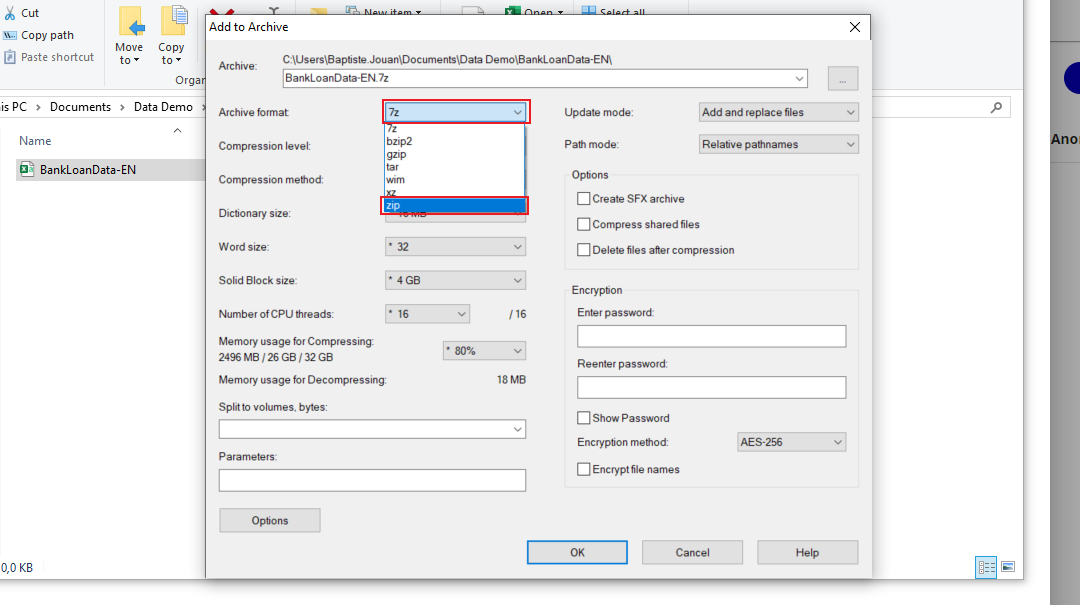
Select Deflate compression method
When selecting the zip format you shouldn't have to change the compression method as the default is "* Deflate" but if the "Compression method" has another value change it to "* Deflate".
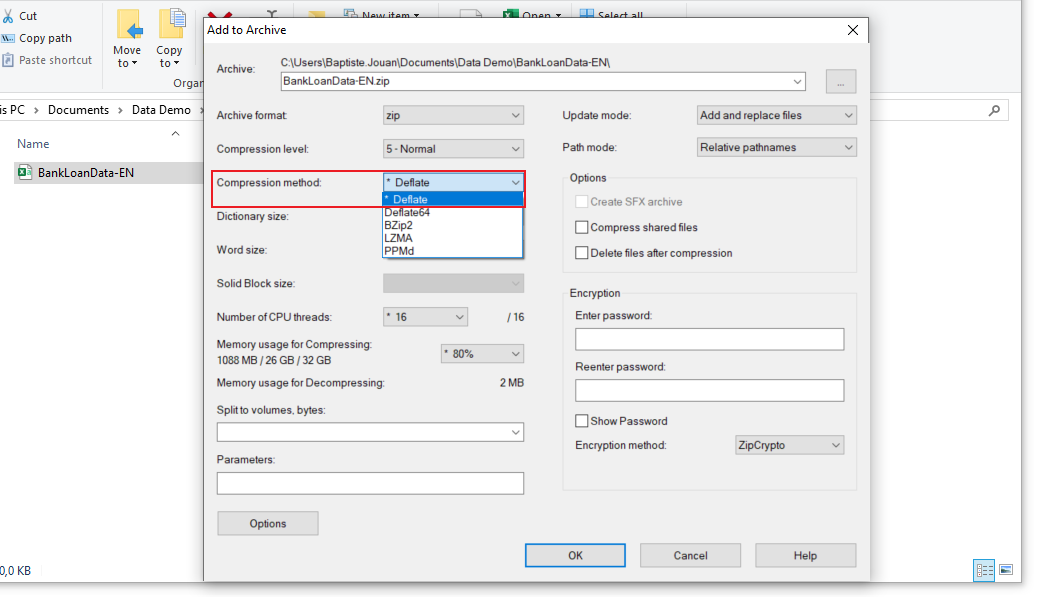
You can then click on the "OK" button at the bottom of the window. It will compress your files into a zip archive you can use to ingest your data on the Process Mining app.
Other ZIP errors
There are other ZIP errors less complex like:
- Invalid or corrupted data: We can't read the data in the zip folder despite the right compression method, verify your files and retry to compress your files then try again.
- Files name too long: Some of the file names in the zip are too long, simply rename your files and try again.
- Unknow error: We don't know what went wrong with your zip file, please contact the support for help.