View your assignments
My Assignments lists everything assigned to you in the enterprise model — the items you're Responsible, Accountable, Consulted, or Informed on, whether directly or indirectly through a role, job, or other resource subtype you're part of.
Prerequisites
- An administrator must map your user account to a resource in the repository — the resource that represents you in the model. Without a mapping, My Assignments doesn't appear in your menu. Your current mappings are listed under Linked Resources in My Profile.
- Requires a license that includes viewing enterprise objects — see the License capability matrix.
Steps
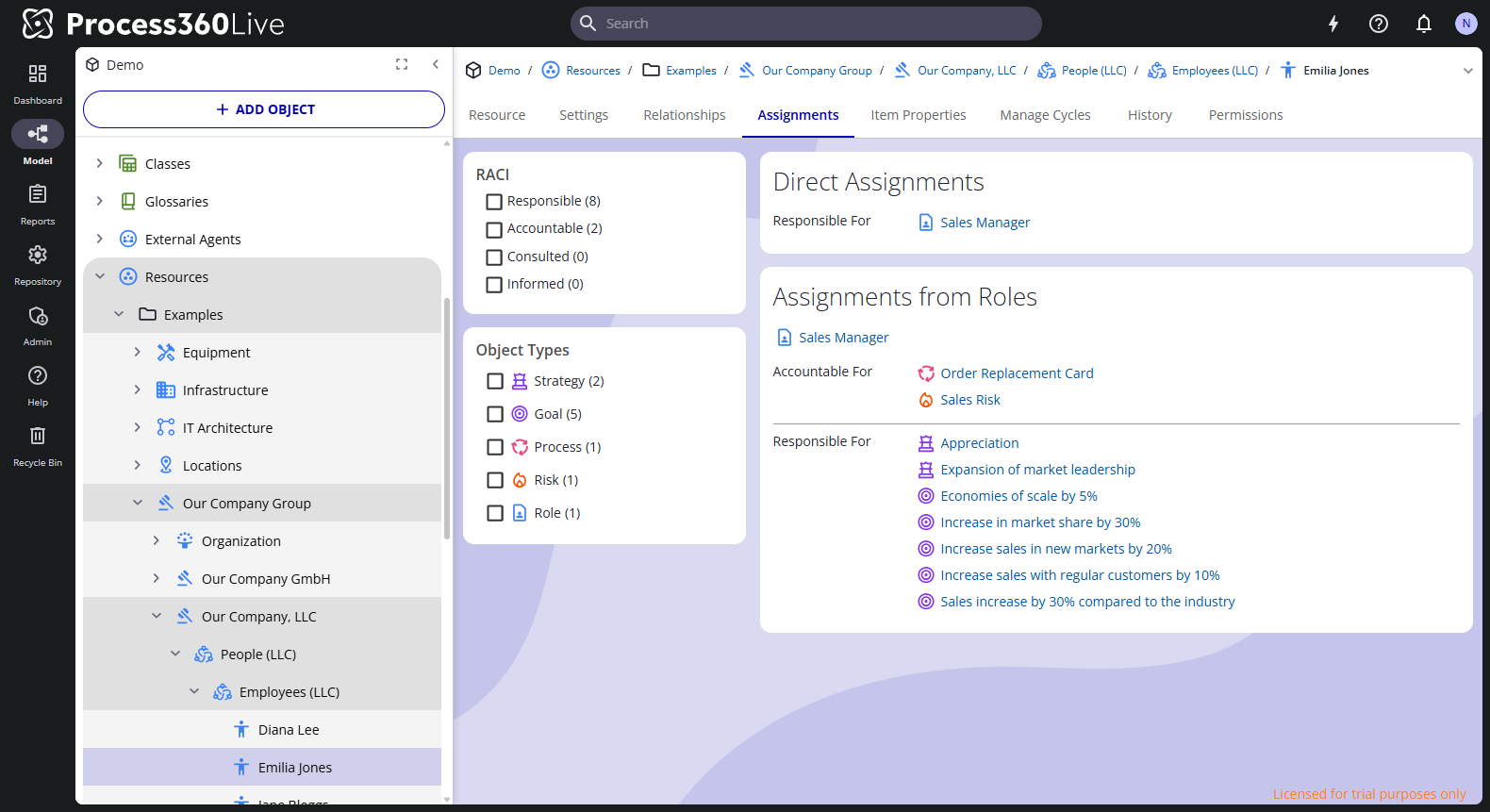
- Select your avatar in the upper right, then My Assignments. Your mapped resource's Assignments tab opens. If you're mapped to resources in several repositories, pick the repository first.
- Read the two sections:
- Direct Assignments — RACI relationships on your resource itself, grouped as Responsible For, Accountable For, Consulted About, and Informed About.
- Assignments from Roles — assignments you hold indirectly, grouped by the resource that carries them: a role, job, or other resource subtype such as Board or Legal Entity.
- Narrow the list with the filters on the left: by RACI type or by object type, each with a count. Select any item to open it.
If you lack permission to view some assigned items, the page notes that some assignments were filtered out of the list.
Related
- Manage your profile and settings — see your linked resources
- RACI on diagrams — how assignments are made on diagrams
- Object relationships — RACI in the object model