Use the History panel
The History panel keeps the trail of items you visited in the Model area, so you can jump back to any of them without retracing your path.
Prerequisites
None — the New Recent History Panel feature is on by default for the whole organization, though an administrator can turn it off under Admin → Server Settings → Early Access.
Steps
- In the Model area, select History in the top bar. The panel opens on the right, with the item you're on at the top and the items you visited before it below, newest first.
- Select an item to go back to it.
- Drag the panel's edge to widen it when long item names get cut off. You can also drag an item from the panel into a diagram you're editing, as you would a breadcrumb entry.
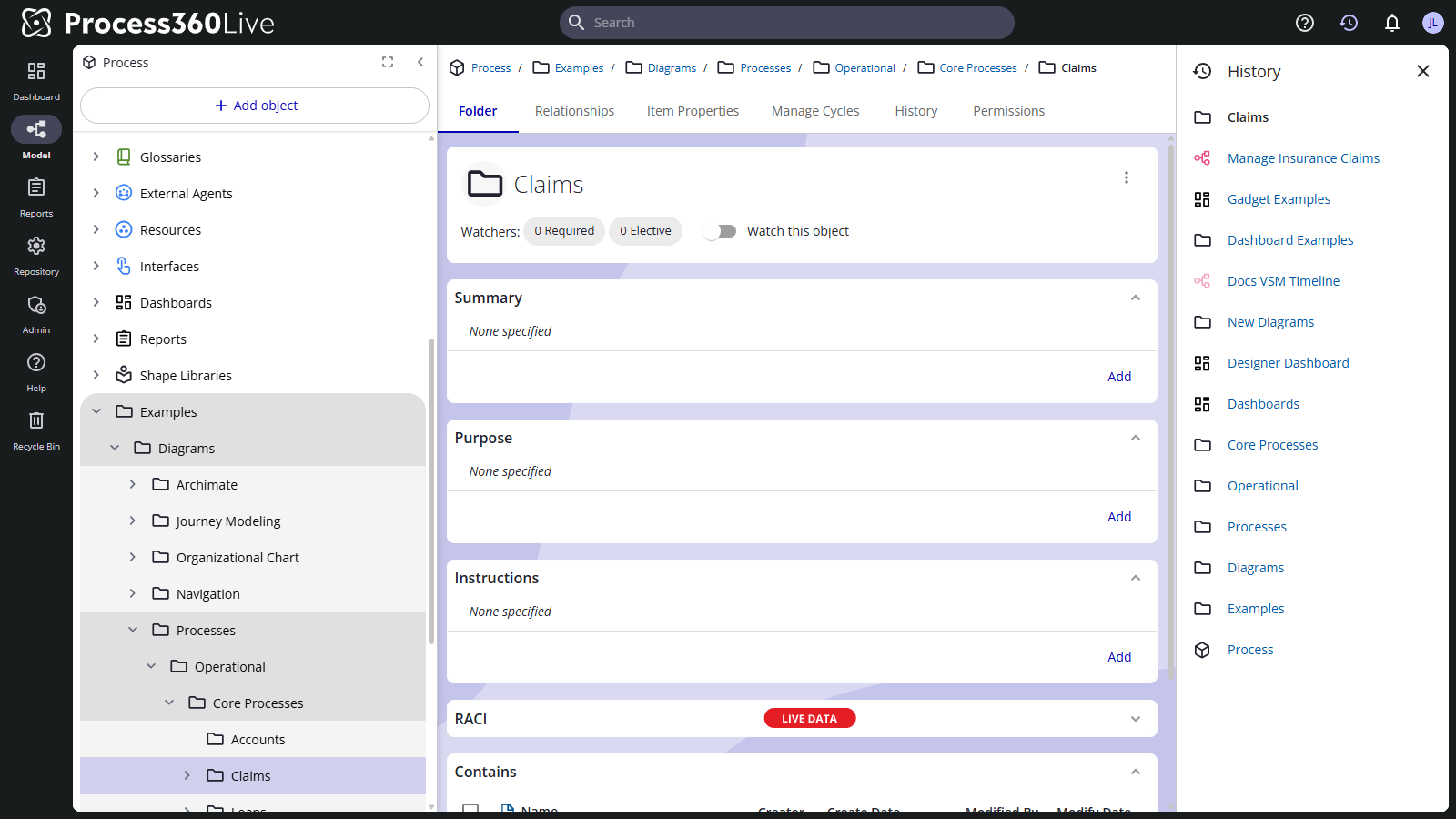
The navigation path above an item shows its ancestors only — your visit trail lives in this panel instead of the breadcrumb. Turn the breadcrumb on or off with Show Breadcrumbs in My Profile.
Related
- View recent changes — what changed in the repository, rather than where you've been
- Manage your profile and settings — breadcrumb display settings