ArchiMate diagrams
ArchiMate is a modeling language for describing, analyzing, and visualizing architecture within and across business domains. iGrafx supports it with the ArchiMate shape libraries, the ArchiMate diagram type, and an ArchiMate template that includes a reference guide to every ArchiMate shape, symbol, and line.
Prerequisites
- A diagram checked out to you.
- The ArchiMate template and shape libraries must not be disabled by your repository administrator. If they are, you can't use the steps below.
Steps
Create a diagram from the ArchiMate template
-
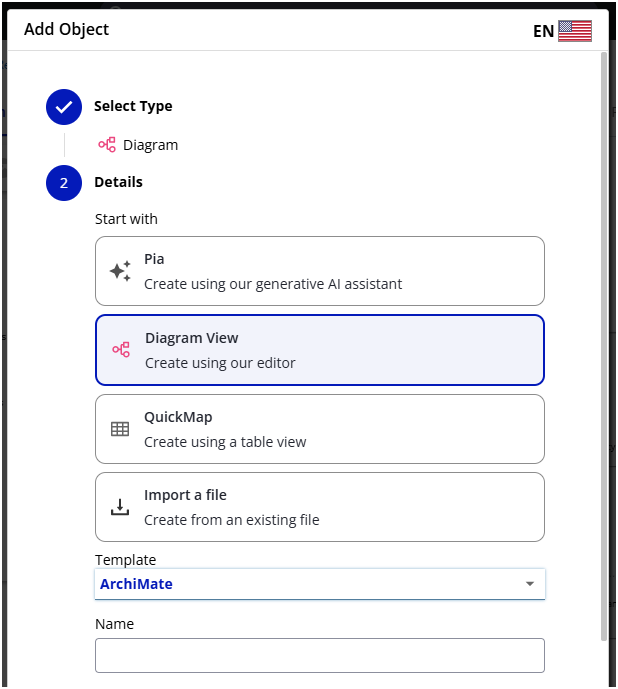
Create a new diagram (for example, with the New Diagram button, or right-click a tree folder and select Add Object).
-
In the dialog, make sure Diagram View is selected.
-
Open the Template dropdown and select ArchiMate (if it isn't listed, an administrator has deactivated it).
Add ArchiMate shapes to an existing diagram
-
Open a checked-out diagram.
-
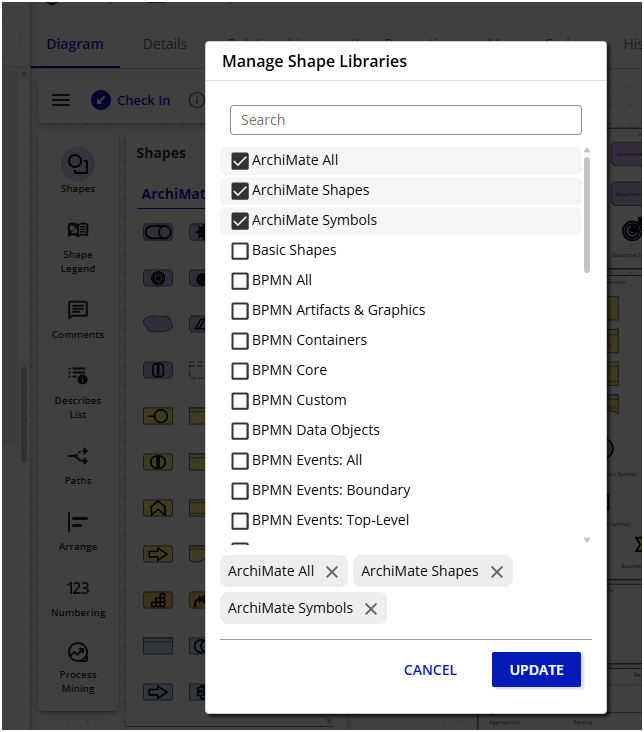
Open the Shape Libraries panel and select Manage.
-
Check the ArchiMate libraries you want — ArchiMate Shapes, ArchiMate Symbols, or ArchiMate All (both).
-
Select Update to confirm.
-
Use the shapes from the Shape Libraries panel or the Quick Shape Menu.
-
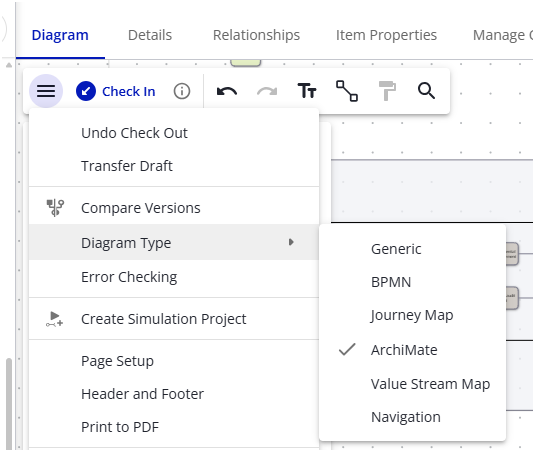
Optionally, switch the diagram to the ArchiMate type from the main menu.
Limitations
- ArchiMate diagrams don't support Error Checking.
- ArchiMate shapes have no automatic line styling or arrowheads.