Set email notifications
Choose which cycle and watched-object events send email to participants in this repository.
Prerequisites
- The Manage Repository Configuration repository permission — see Assigning Security Roles.
- Email delivery itself is configured platform-wide — see Managing email. The settings on this page choose the events; nothing is sent while platform email is off.
Steps
-
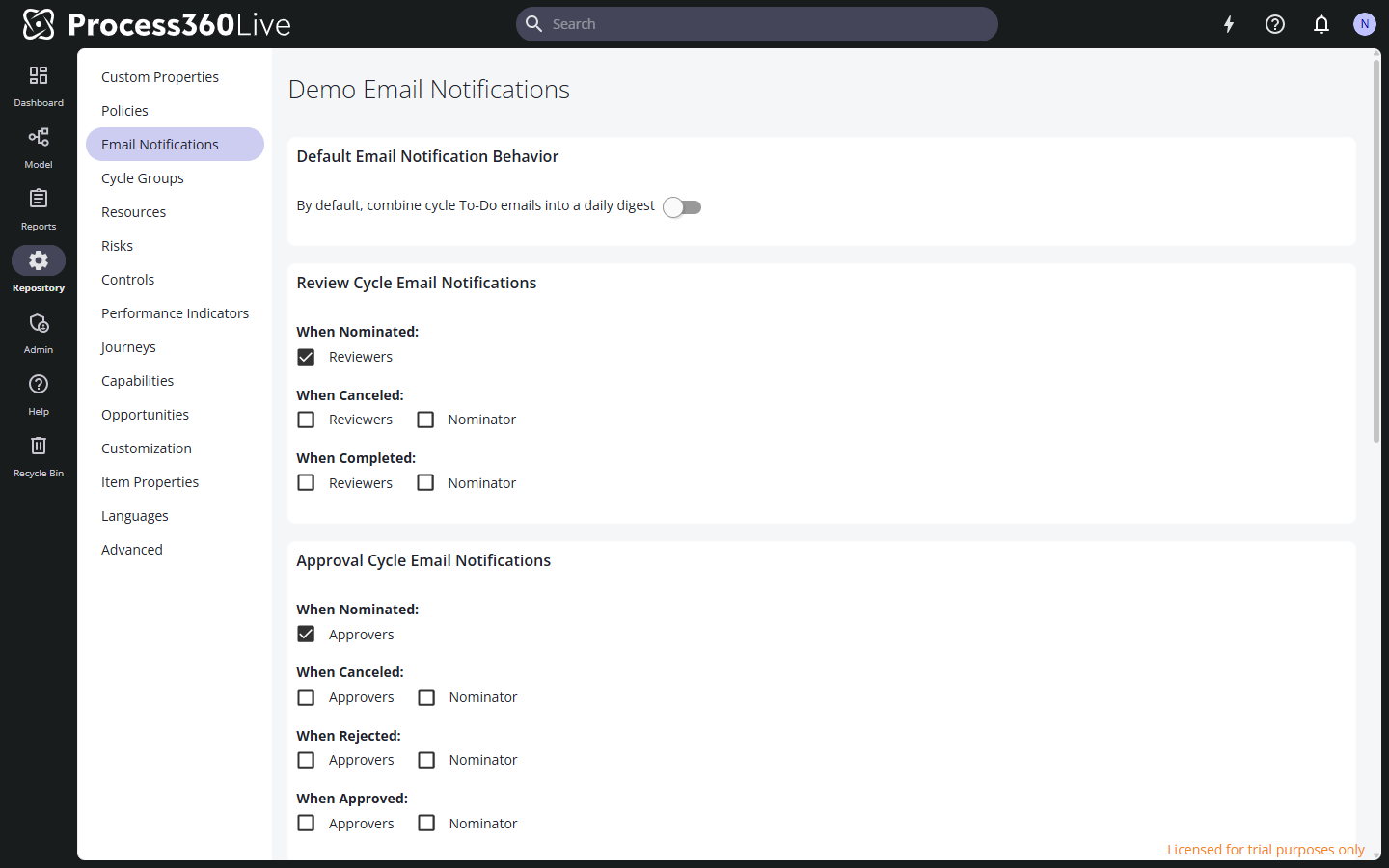
In the Repository area, select Email Notifications. Changes save as you make them.
-
Under Default Email Notification Behavior, check By default, combine cycle To-Do emails into a daily digest to bundle participants' cycle to-do emails instead of sending each one immediately.
infoThe digest bundles cycle To-Do emails only — the When Nominated notification that asks a participant to vote. Everything else on this page always sends immediately, whatever this setting says. That means the When Canceled, When Completed, When Rejected, When Approved, When Paused, and When Resumed cycle events, plus every watched-object notification.
The checkbox sets the repository default. Each user can override it for themselves — see Manage your profile and settings.
-
Check the events that should send email. Each cycle type has its own section, and each event lets you pick the recipients:
Section Events Possible recipients Review Cycle Email Notifications When Nominated · When Canceled · When Completed Reviewers, Nominator Approval Cycle Email Notifications When Nominated · When Canceled · When Rejected · When Approved Approvers, Nominator Endorsement Cycle Email Notifications When Nominated · When Canceled · When Completed Endorsers, Nominator Acknowledgement Cycle Email Notifications When Nominated · When Canceled · When Paused · When Resumed Acknowledgers, Nominator The nominator is the person who started the cycle. In a new repository, the "When Nominated" participant notifications are on and the rest are off.
-
Under Watched Object Email Notifications, choose which events notify users who watch an item: When Checked-In/Modified, When Commented On, and When Approved Version Changes. All three are on in a new repository.
Limitations
- The settings apply to everyone in the repository — there is no per-user opt-out on this page.