Choose item properties to display
Pick which properties this repository shows on each object's Item Properties tab and as columns in object list tables, such as a folder's Contains table.
Prerequisites
- The Manage Repository Configuration repository permission — see Assigning Security Roles.
Steps
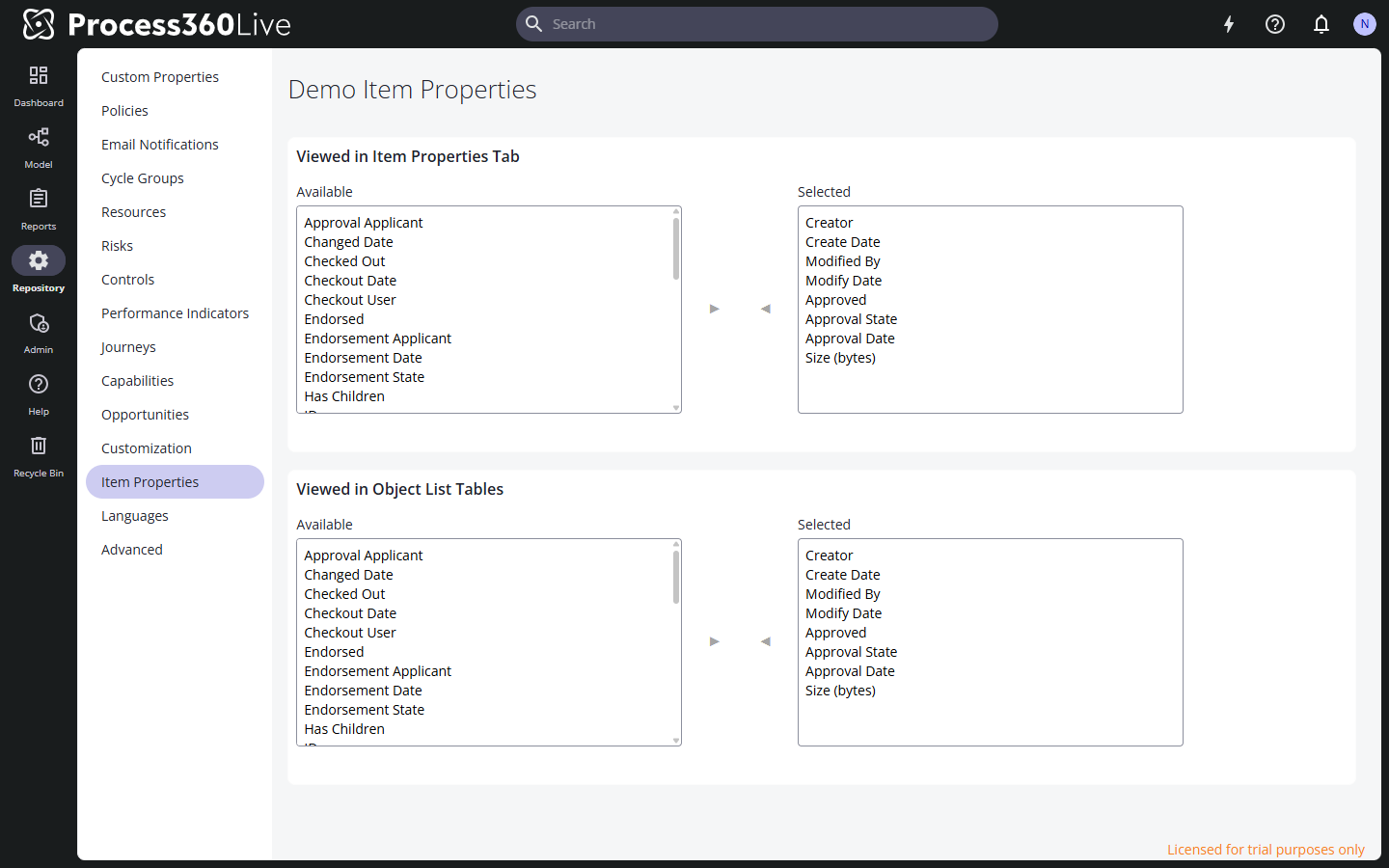
- In the Repository area, select Item Properties. The page has two sections:
- Viewed in Item Properties Tab — the properties shown when someone opens an object's Item Properties tab.
- Viewed in Object List Tables — the columns shown in object list tables.
- In either section, select a property in the Available list and move it to Selected with the arrow button — or move it back to hide it. Both built-in properties (Creator, Modify Date, Approval State, Version, and so on) and the repository's custom properties are offered.
- There is no save button — each move takes effect immediately.
Limitations
- The selection applies to all object types in the repository — there is no per-type configuration.