18.2.2 Datacenter Release Highlights
 Default Zoom Level For Web Diagrams
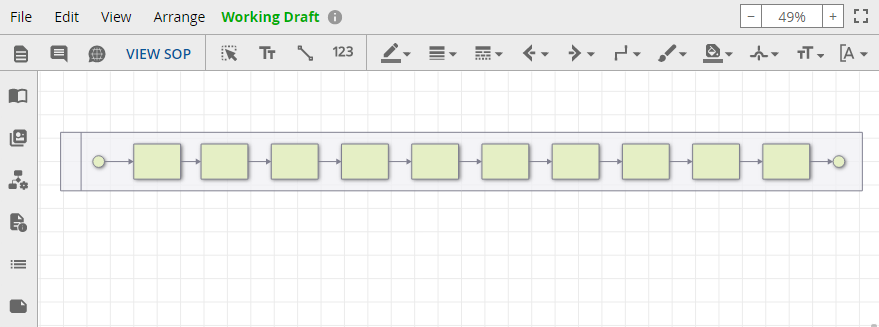
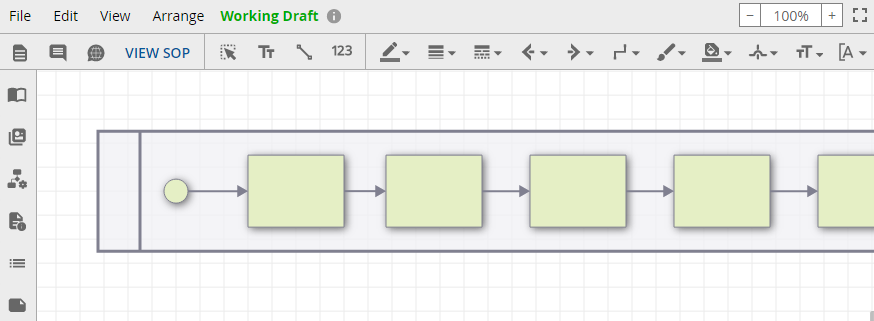
You now have the ability to set default zoom level for web diagrams. The two options are "Fit all" which puts the entire diagram in frame, and "100%". This setting affects all new and existing web diagrams. This does not affect igx diagrams.
Instructions for adjusting default zoom...
-
Available under Repository Configuration > Advanced
-
In the Diagrams section, there are now two default zoom level options

Fit all zoom level
100% zoom level
 Administrative Owner
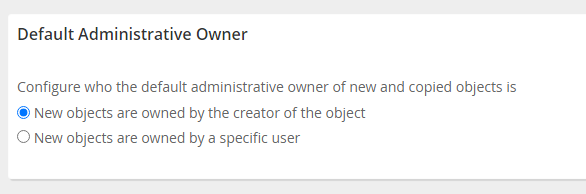
Newly created objects are given an administrative owner automatically. Now, the default administrative owner can be changed to either the creator of the object, or a specific user.
Instructions for changing Default Administrative Owner...
-
Access the Main Menu > Repository Configuration > Policies
-
Scroll down to Default Administrative Owner
-
Select either of the following:
-
New objects are owned by the creator of the object
-
New objects are owned by a specific user
-