20.2.0 Cloud Release Highlights
Simulation - Roles for Resources
Simulation resources can now carry roles. Give a resource one or more roles and set a role on an activityActivity A named step in a process (e.g. "Approve Invoice"). Each event in an event log records one activity occurrence for one case.'s required resource, and the simulation only acquires a resource that has that role.
Read more: Simulation properties
Simulation - Redesigned Required Resources Tab
The Required Resources tab now shows each requirement as a single summary line, with the full field set one step away in a Required Resource Details view and a column chooser that brings the fields you use back inline. Each required resource can also carry a description.
Read more: Simulation shape properties
Simulation - Scoring Functions
The new Scoring functions tab scores a simulation run with your own formula: a numeric expression over end-of-run statistics — case count, cost, simulation time, or any process, activityActivity A named step in a process (e.g. "Approve Invoice"). Each event in an event log records one activity occurrence for one case., or resource statistic. The score appears with the run's results and in scenario comparisons, so you can rank runs by one number instead of scanning many statistics columns.
Read more: Simulation properties
Bulk Operations - Delete Objects from Search Results
You can now delete multiple objects straight from search results — including the results of an IQL query — in one background job that moves them to the Recycle Bin, with an optional deletion comment. With the Early Access Data Retention feature turned on, the same bulk operation archives objects.
Read more: Bulk changes
Reporting - Cycle Group Name Properties
Reports and IQL queries can now show a cycle group by name — both the group assigned to an object and the group the currently running cycle is using. Each cycle type gets a pair of new properties — approvalGroupName and activeApprovalGroupName, for example — with the same pair for review, endorsement, and acknowledgement cycles.
Read more: IQL query properties
API - Upload a New Version of an External File
The REST API can now upload new content to an existing External File, which previously worked only in the browser. The platform checks the file out, stores the new version, and checks it back in with the normal audit trail, and antivirus scanning applies the same way as an upload from the browser.
Read more: Access the REST API
Diagramming - Association Line Routing Reverted
20.2.0 rolls back the right-angle default line routing that 20.0 introduced for association lines: the line that connects a data object to a shape is a straight line by default again. If you prefer the right-angle route, switch the routing to Right-angle in the Styles panel — in your diagram, or in a diagram template so new diagrams start with it.
Read more: Create and edit a diagram
UX/UI Improvements
- Comment notification emails now open the diagram with the comments panel open and the comment in focus. Read more: Comment on a diagram
How to enable Early Access features
-
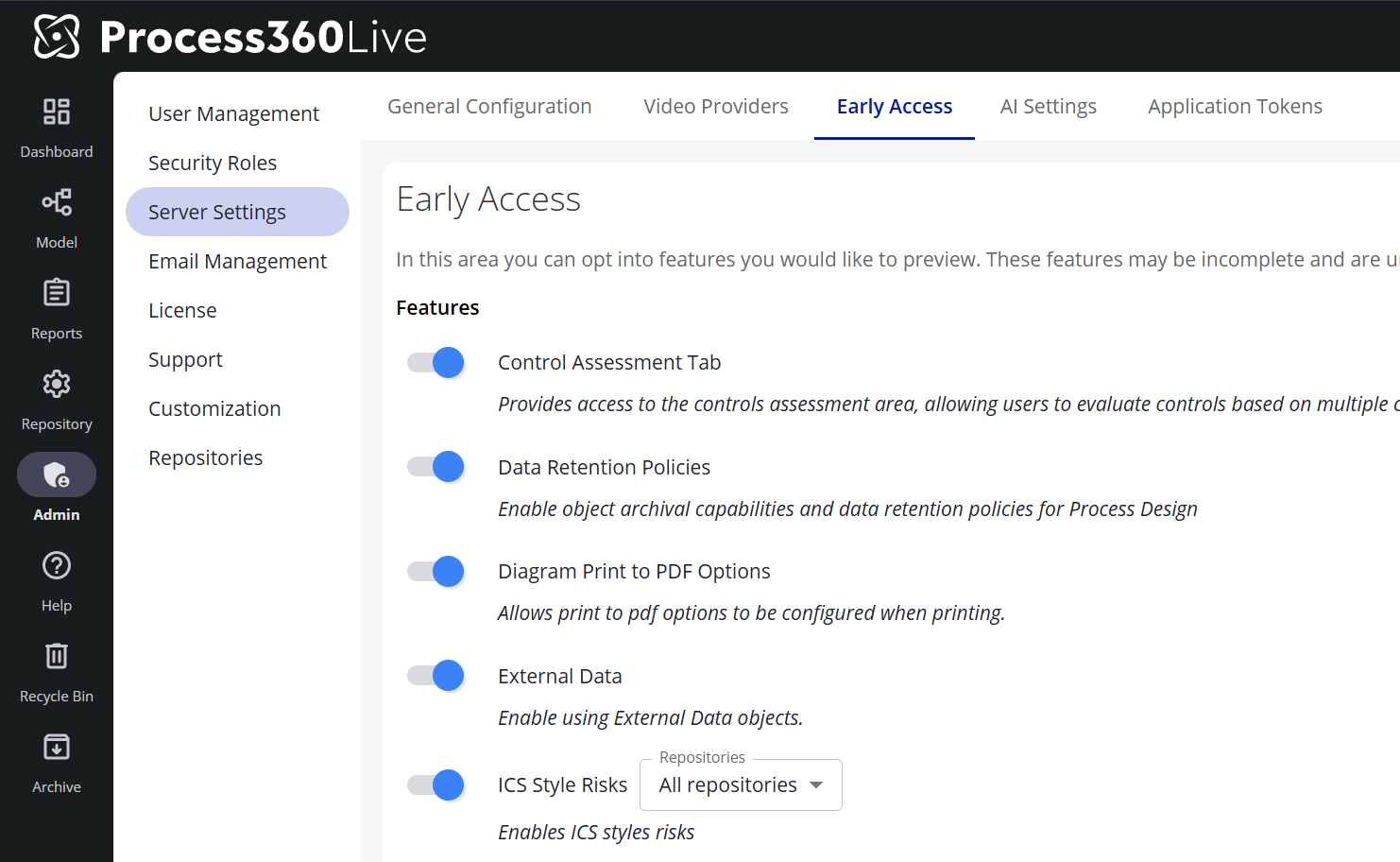
Go to Admin → Server Settings
-
Navigate to the Early Access tab. AI-related Early Access features (such as Pia Diagram Creation) live on the adjacent AI Settings tab and are toggled the same way.
-
Toggle the features you would like to enable
Note: Features with a ℹ️ icon are in General Access. These features are fully released; customers are provided a temporary window to disable these features to perform internal training and communications before the feature is permanently enabled.
Controls - Downloadable Assessment Report
The new Assessment Report tab in the Controls repository configuration downloads the repository's control assessments as a spreadsheet — filtered by year, by assessor, and by the answers to each assessment question. It's part of the Control Assessment Tab Early Access feature.
Read more: Configure controls