Register a repository via the REST API
Register an existing repository programmatically with the platform's REST API instead of the Manage Repositories page.
Prerequisites
- A platform with the
APIlicense module active. - A user with the server-role permission to access the REST API and the repository-role permission to create and manage repositories — see permissions reference.
Steps
-
Open the REST API documentation in your platform and go to Administration → Repository Management → Register Repository.
-
Use the endpoint
POST /api/repositories/register. -
Enter the user's credentials for authentication.
-
Send the request body, adjusting the fields for your database:
{"databaseName": "YOUR_REPOSITORY_DATABASE","databasePassword": "YOUR_DB_PASSWORD","databaseUsername": "YOUR_DB_USER","hostname": "YOUR_DB_HOSTNAME","port": 1433,"databaseType": "MSSQL","tablePrefix": ""}
info
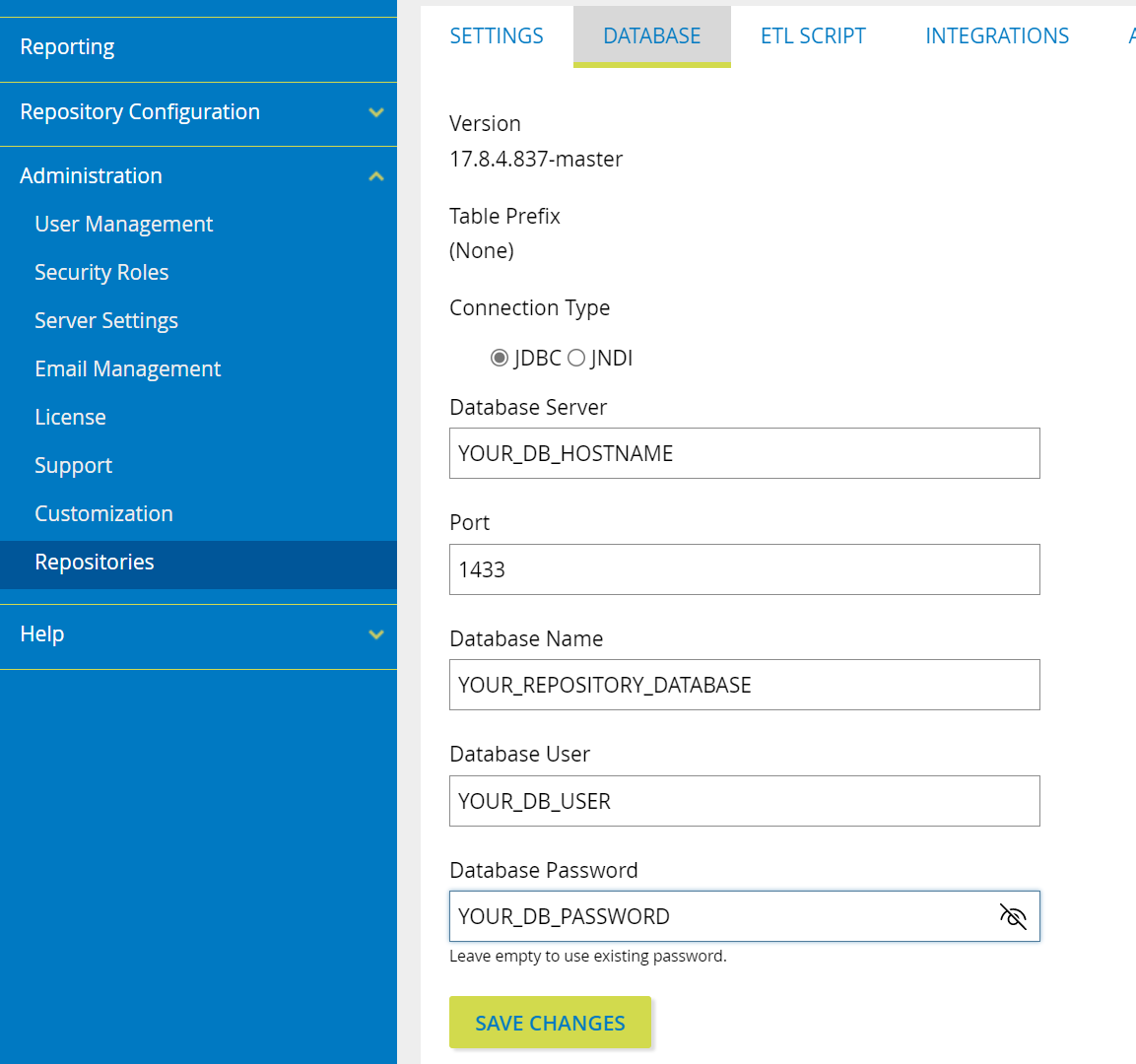
To register a repository that's currently registered elsewhere, find its database details in Administration → Repositories: select the repository's name and open the Database tab. If you don't have the connection information, your IT team can provide it.