Why can I not change the background color for the header of my pool in a collapsed sub-process?
Question
When designing a diagram, the pool headers in a collapsed sub-process look distinctly different from the headers in the main diagram, and they do not have all the same styling options as my other pools. Why can I not change the colors and why do they look differently from other pools?
Answer
Collapsed or embedded sub-processes don't usually have pools in the BPMNBPMN An ISO/OMG standard graphical notation for modeling business processes. Process360 Live uses BPMN 2.0 for design and simulation artifacts. specification. It was decided to make the pool-style distinctly different in embedded sub-processes within the iGrafx Platform Diagramming experience.
A sub-process in BPMNBPMN An ISO/OMG standard graphical notation for modeling business processes. Process360 Live uses BPMN 2.0 for design and simulation artifacts. should not reference a new pool if possible, because the parent process likely already contains a pool - containing the process name or company name in which the process is being executed. With an embedded sub-process we would suppose that the process also starts and ends in that department / in that role:
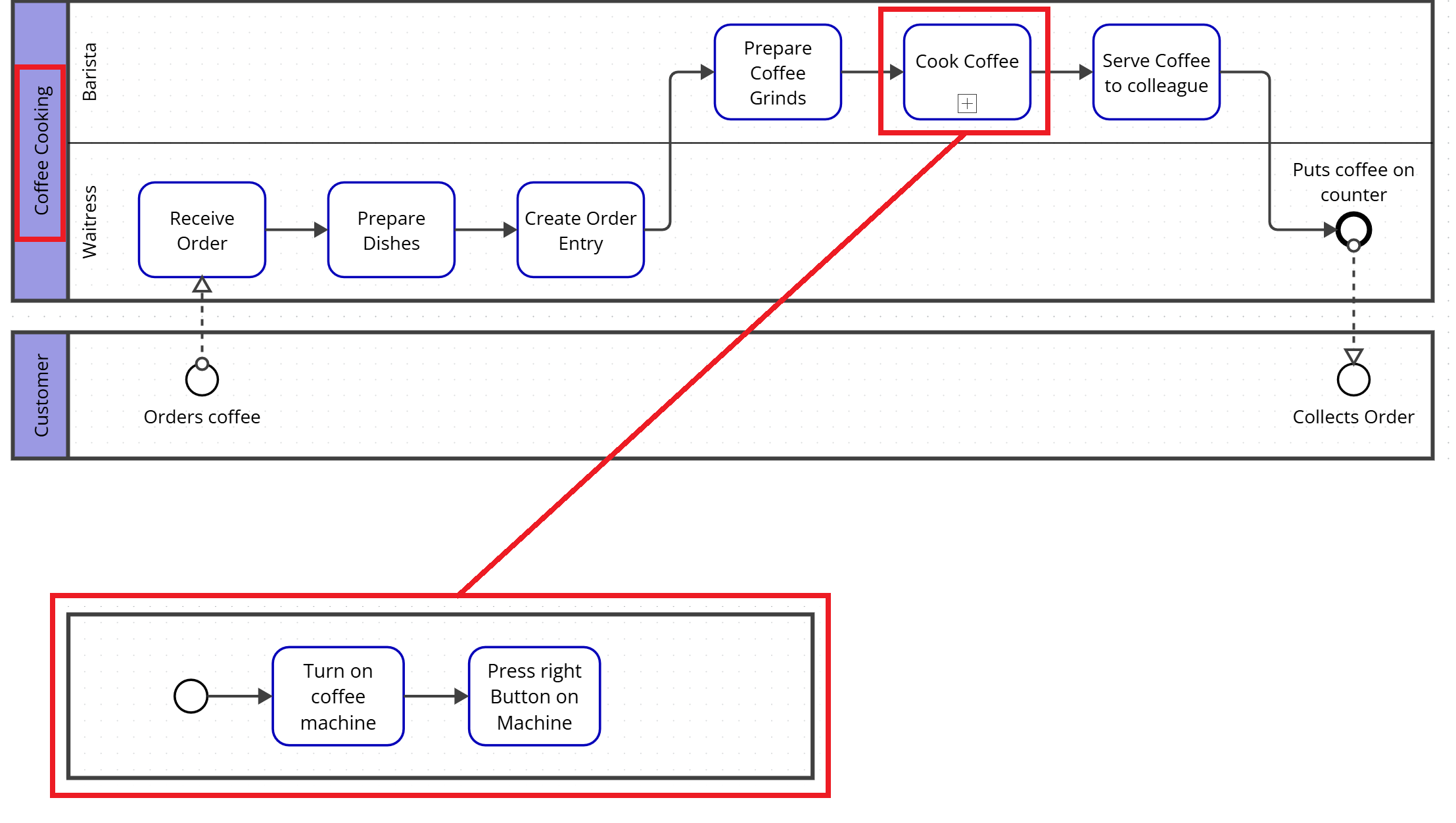
If there are additional departments / roles that would be involved in cooking coffee, the sub-process would look like this:
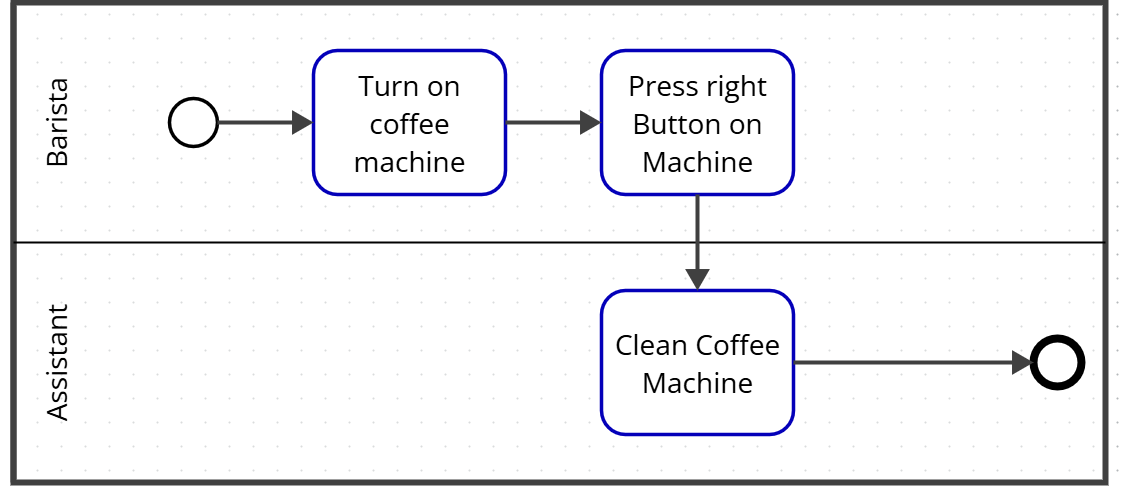
In this case, we might want to consider drawing a dedicated sub-process, that could explain in a more detailed way how the Barista and the assistant are working on actually making the coffee. The additional process diagram can then be referenced with a Call-ActivityActivity A named step in a process (e.g. "Approve Invoice"). Each event in an event log records one activity occurrence for one case..