Proposals
Proposals let anyone suggest additions and changes to the enterprise model — for Processes, Activities, and Resources — without touching the model itself. Each proposal moves through a review workflowWorkflow An automated or semi-automated sequence of tasks that moves work from initiation to completion, often with routing rules and human-task assignments., and only publishing it creates or changes the real object.
Proposals are an Early Access feature. An administrator enables them for the whole platform — see How to enable Early Access features.
Overview
A proposal starts in the repository tree. Right-click a Process, ActivityActivity A named step in a process (e.g. "Approve Invoice"). Each event in an event log records one activity occurrence for one case., or Resource object and choose Propose New Object — name the new object, confirm its type, and click Continue — or choose Propose Changes to suggest edits to that object.
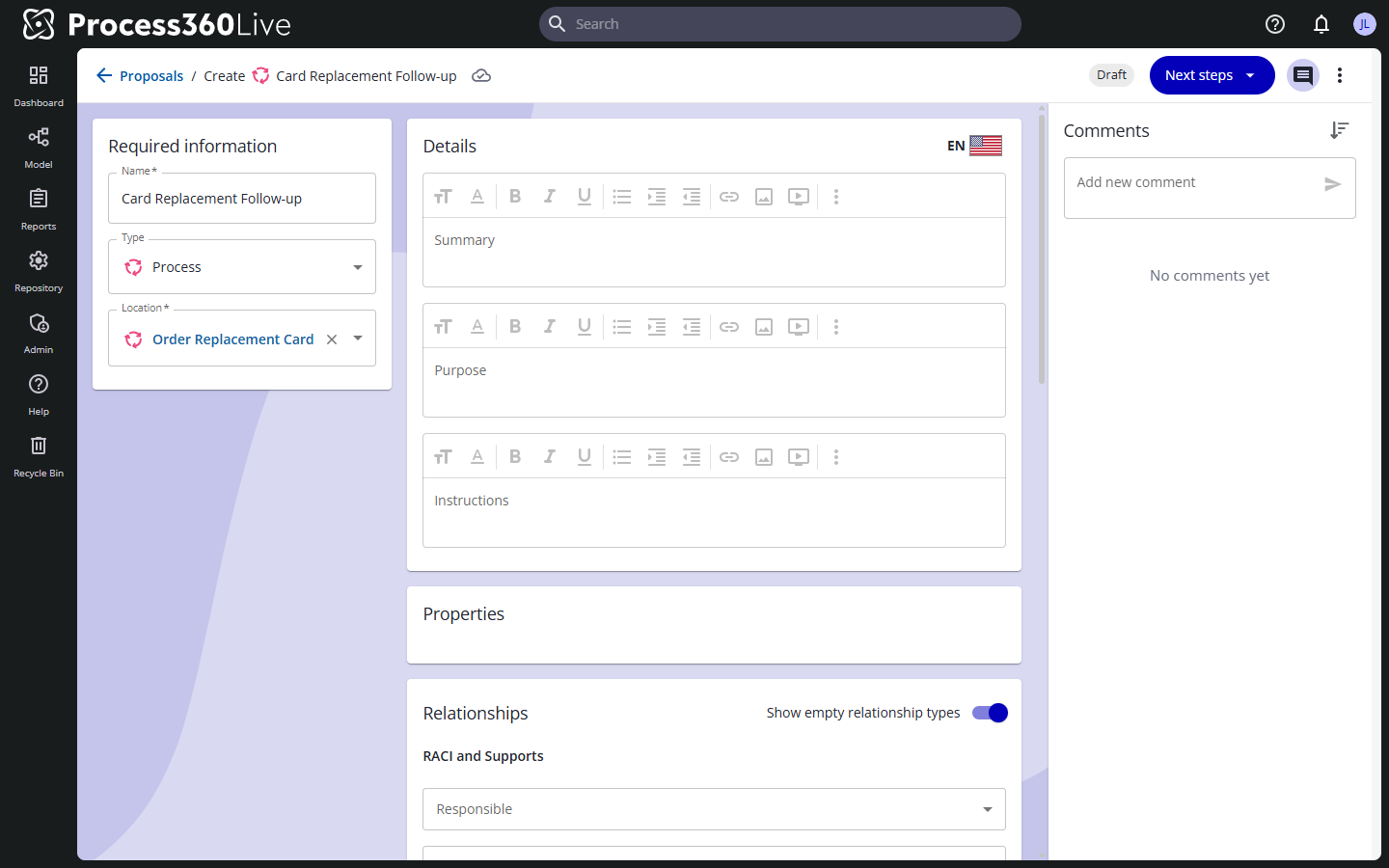
The proposal opens in its own view, with a status badge and a Next steps button at the top. For a new object, the Required information section holds the name, type, and location; for a change proposal those stay fixed, and a Changes panel collects what you edit — "these are the changes that will be applied when this proposal is published." Below, you fill in the details (summary, purpose, instructions, per language), properties, and relationships. Everything saves to the proposal automatically, and the Comments panel carries the discussion — you can edit or delete your own comments, not other people's.
All proposals appear on the Proposals page, reached from the user menu, with Active and Published tabs. Each row shows the action (Create or Update), name, proposer, create date, assignee, and status; filter by action, Assigned to me, or status. Selecting a proposal opens it; you can also delete selected rows, which is permanent.
From the proposal, Next steps offers the transitions its current status allows — in the default workflowWorkflow An automated or semi-automated sequence of tasks that moves work from initiation to completion, often with routing rules and human-task assignments., a Draft offers Submit. The transition dialog shows the status change, and lets you assign the proposal to someone and leave a comment.
The final transition is publishing: for a creation proposal this creates the object; for a change proposal it applies the changes. A published proposal isn't deleted automatically — it moves to the Published tab and stays viewable.
Key concepts
- Create vs. Update — a Create proposal describes an object that doesn't exist yet; an Update proposal collects edits to a real object.
- Status and transition — each repository defines its own workflowWorkflow An automated or semi-automated sequence of tasks that moves work from initiation to completion, often with routing rules and human-task assignments.. The default ships with Draft, Submitted, Needs work, and Published.
- Who can transition — per transition, the workflowWorkflow An automated or semi-automated sequence of tasks that moves work from initiation to completion, often with routing rules and human-task assignments. allows proposal editors (the creator), object modifiers (anyone who can modify the object — for Create proposals, the parent), and RACI participants (users whose linked resource holds the matching RACI role on the object or parent).
- Publishing — the transition that applies the proposal to the model.
Configure the workflow
Users with the Manage Proposals WorkflowWorkflow An automated or semi-automated sequence of tasks that moves work from initiation to completion, often with routing rules and human-task assignments. repository permission open the workflowWorkflow An automated or semi-automated sequence of tasks that moves work from initiation to completion, often with routing rules and human-task assignments. editor through the gear button on the Proposals page (Manage proposals workflowWorkflow An automated or semi-automated sequence of tasks that moves work from initiation to completion, often with routing rules and human-task assignments.). The List view edits each status: its name, whether proposals in it can be edited, whether only valid proposals may transition into it, and its outgoing and incoming transitions — each with a target status, a label, and who can transition. The Graph view visualizes how the statuses connect, and Translations names each status in every repository language.
Related tasks & references
- Manage items — creating objects directly, without a proposal
- Object relationships
- Enabling Early Access features