View a diagram
Open a diagram from the repository tree and its Diagram tab shows the latest version you're allowed to see. Everything here works without checking the diagram out.
Prerequisites
- View access to the diagram. Without the See Unapproved item permission you see the latest approved version only.
Steps
Zoom and full screen
The view bar in the lower right holds Zoom In, Zoom Out, the zoom percentage, Fit to Content, and Enable Full Screen (and Exit Full Screen). Once the diagram is scrolled below the top of its content, an arrow pointing up at a bar, tooltip Go to top, joins them: it returns the view to the top of the content, leaving the horizontal position and the zoom unchanged. Panning works with a right- or middle-button drag, or space bar plus left-button drag.
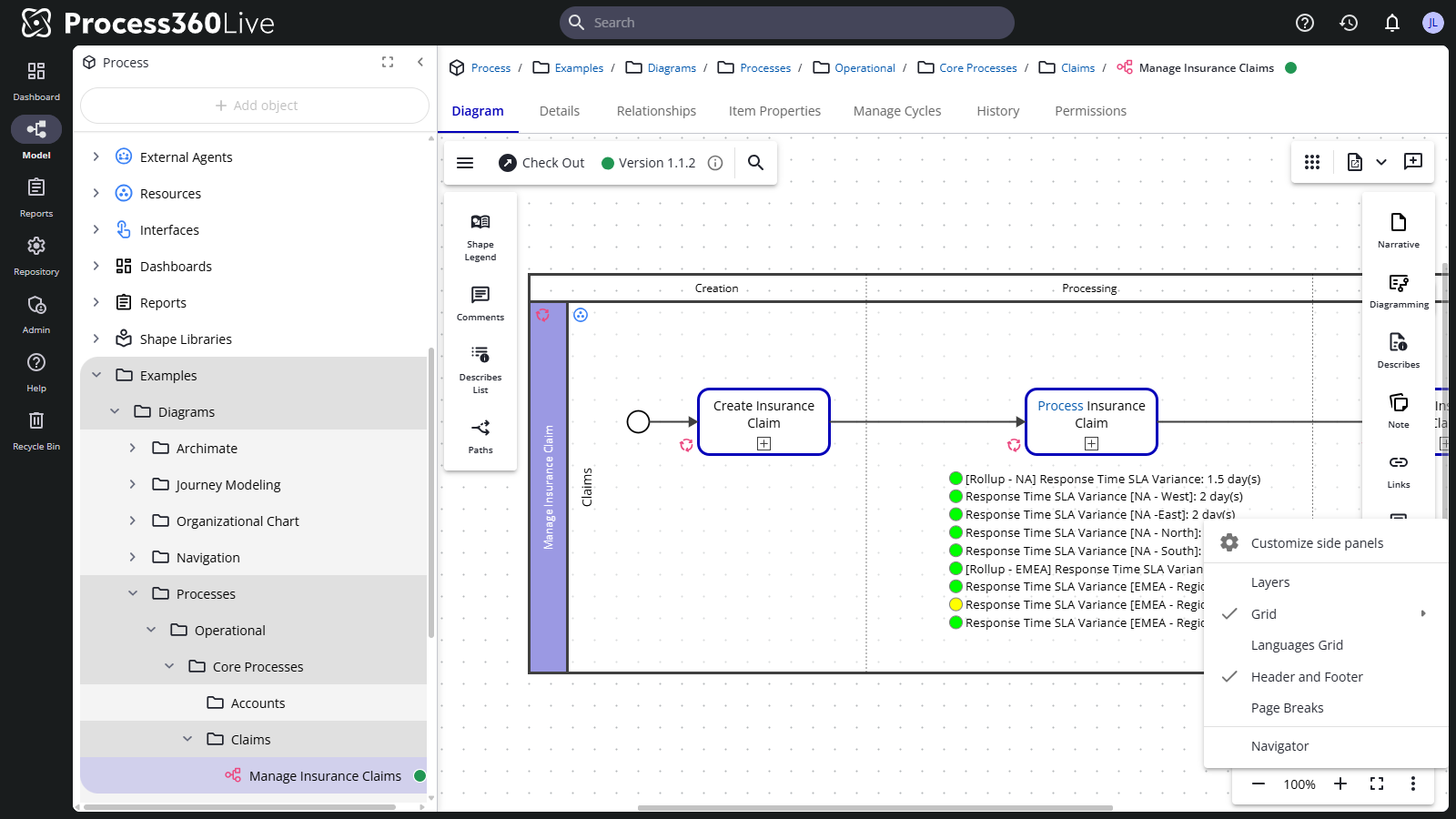
The view options menu
The view bar's More Options menu collects the display toggles:
- Navigator — a movable overview window for finding your way around large diagrams.
- Grid — dot grid, line grid, or none.
- Page Breaks and Header and Footer — show print layout on screen.
- Languages Grid — the diagram's translations side by side.
- Layers — focus on one layer's fields at a time: pick a layer and the diagram hides all indicators and fields, showing only that layer's fields in a distinct style below the shapes. One layer at a time.
- Customize side panels — arrange the editor panels to your liking.
The menu follows the diagram's state: Layers appears while the diagram is checked in, and Smart Guides and Describes Hints take its place while you have it checked out.
Side panels for readers
The side toolbars work in view mode too: Shape Legend, Comments, Describes List (every object this diagram describes), and Paths. Drag the buttons to reorder them, even between sides.
The changes toggle — live or as-approved data
A diagram version freezes a snapshot of its described-object data at check-in. When the data has changed since — and depending on the repository's live-describes policy — the version indicator at the top offers a Changes toggle that switches between Data as of the version and Live Data, so you can see what changed in the model after the version was frozen.
Approved Only mode
To read the whole repository the way an approval-only audience sees it, open the user menu and select View Approved Only — diagrams show only their approved versions until you select Stop Viewing Approved Only. While the mode is active you can't vote in approval cycles.
Whether the mode is offered, and whether every session starts with it already on, is decided by an administrator with the View Approved Only mode server setting.