Business rules
The Business rules tab allows you to manage the list of rules defining when cases are finished (end of case rule), compliance with a model if defined, or different conditions used in future functionalities.

Create a business rule
Click the button atop of the table to start adding a new business rule.

A pop-in opens where you can start by defining the name of the rule, a description (not mandatory) and whether this rule will be an end of case rule.
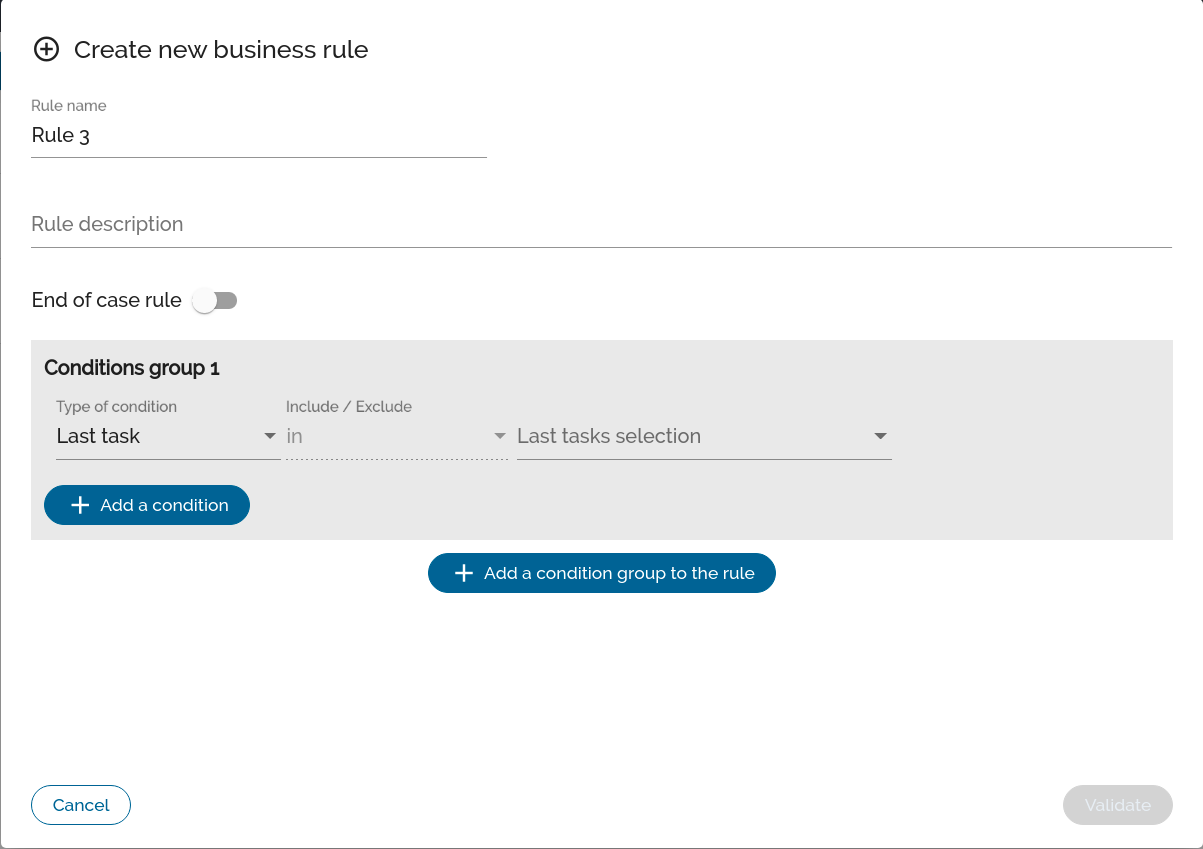
A business rule is made up of two things, groups of conditions and conditions within those groups.
Condition groups are linked by an operator (AND / OR) and remain the same between all condition groups. The same process applies to conditions within the same group.
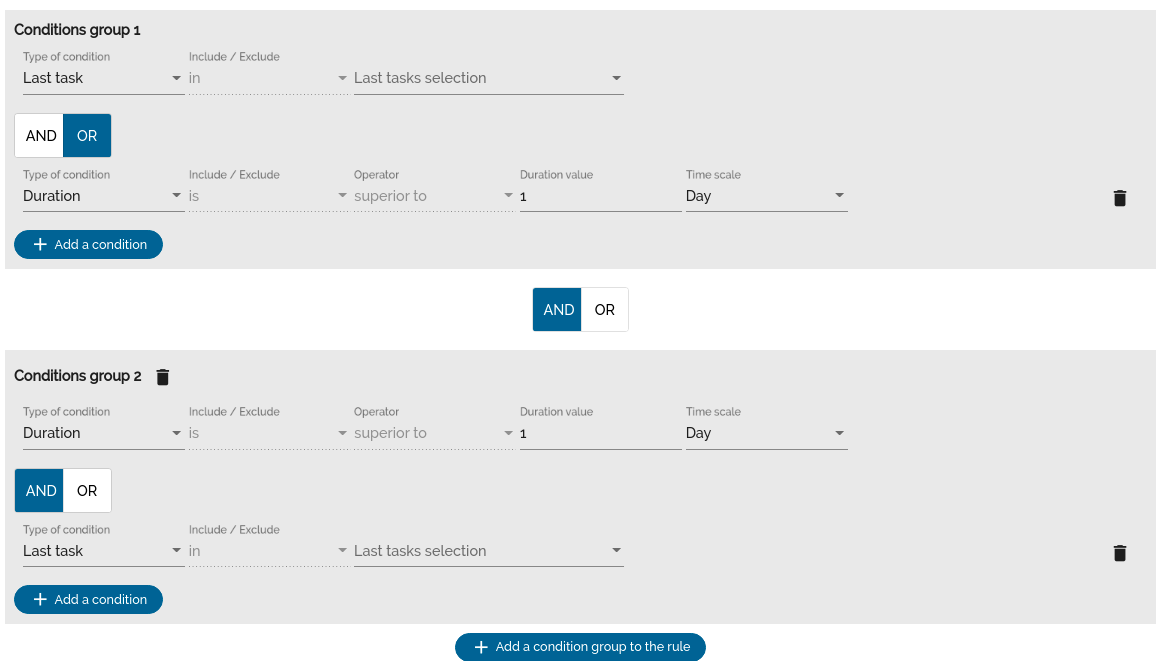
Three types of conditions are available (more criteria to come):
- Duration strictly greater than a given time
- Latest tasks (several tasks of an existing project can be selected)
- Conformance or not to a model
When you have finished filling in all the fields, you can click on the "Validate" button at the bottom right of the pop-in to save the new rule.
Edit a business rule
To modify a business rule simply click on the button below to reopen the pop-in with the values of each condition pre-filled.

The modification does not only concern the pre-fulfilled conditions, you can always add groups or conditions.
Delete a business rule
Click the button below to delete the business rule. A validation pop-in will ask you to validate the operation, if you validate, the rule will be deleted.
